How to Run an AI Agent Team That Stays on Track
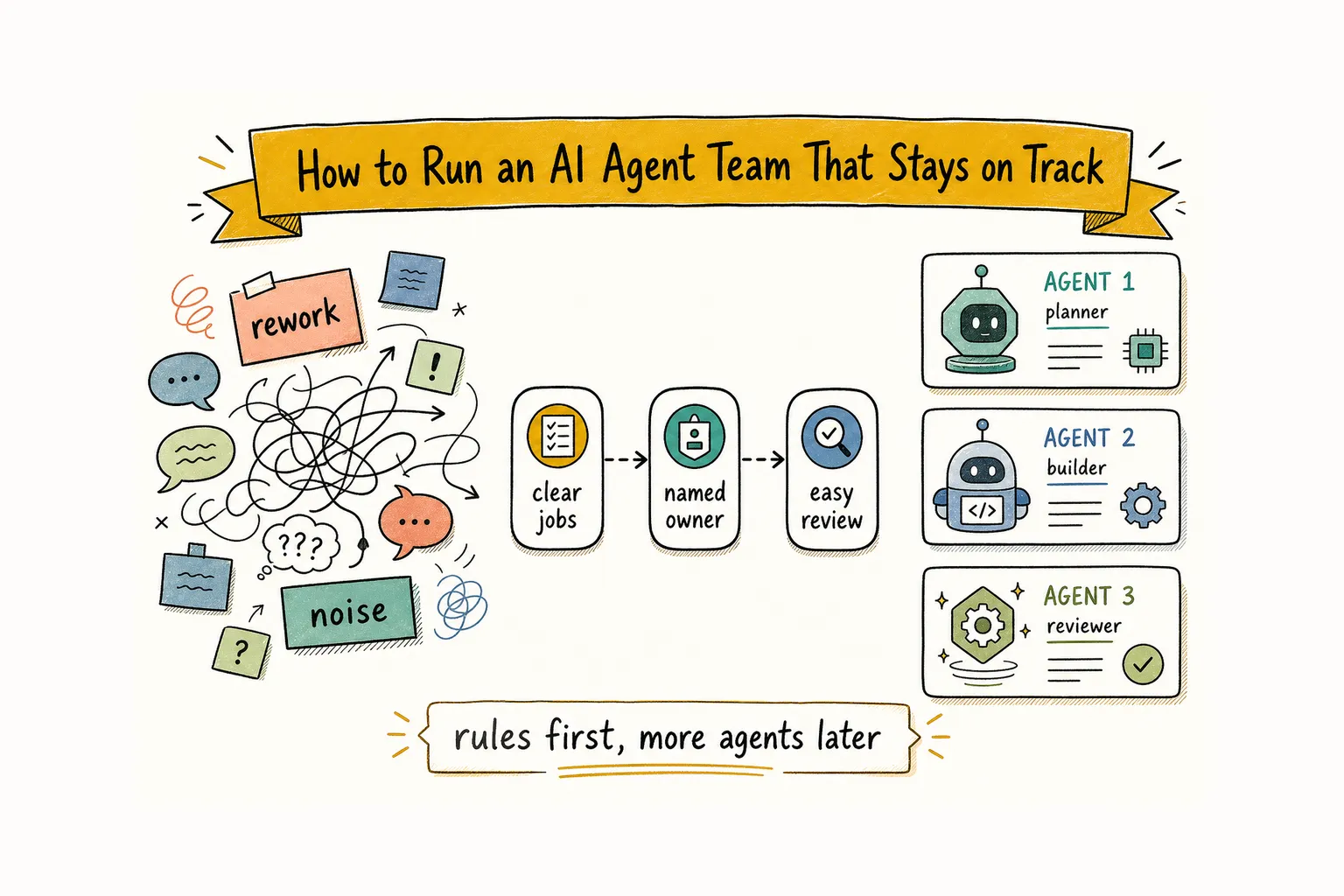
Foundations & team designAn AI agent team stays on track when each role has one clear job, handoffs leave proof of work a person can review, high-impact actions wait for approval, and an always-on runtime does not become unsupervised work. The fix is usually a short set of operating rules, not another agent.
You can see the failure mode quickly. Give three agents the same project on Monday. By Wednesday, one has drafted a plan, another has started a different version, and a third has reopened a question the group settled on Monday afternoon. The work is moving. Nobody can say where it is going.
That second-stage mess is common once agents start producing useful drafts. Useful output without ownership, reviewable artifacts, and a stop path turns into old conclusions and unanswered requests.
Give each agent one job and a "never do" list
Start with a job, not a character.
"Own engineering" is too broad to evaluate. "Investigate failed webhook deliveries, return reproduction steps, and name the likely files" gives an agent a result another person can check.
Give each role two small documents:
- a durable description of its job, inputs, outputs, and limits
- a "never do" list for actions outside its remit
This is especially important for review. An agent that wrote a draft should not be the only agent deciding whether the draft is good. A separate reviewer can check the evidence, ask where an assumption came from, or return the work with a concrete gap.
You do not need a miniature department chart on day one. Begin with two to four responsibilities that already recur in your work: research, implementation, review, or monitoring. Add another role only when the existing handoff works without you repairing it every morning.
Some teams also run different models behind those roles. A researcher using Claude may frame a problem differently from a reviewer using Codex or a local model. That can create useful disagreement. It is a supplement to clear roles, though. Three vague agents running three models still produce vague work.
Write the brief so the team knows when to stop
A short brief can still be precise.
State the goal, the expected output, the relevant constraints, and what "done" looks like. If you want a pull request, say so. If you want a recommendation with sources and no code changes, say that too.
Anthropic's guide to building effective agents makes the underlying case for explicit steps and checks: a workflow works best when tasks can be cleanly decomposed and intermediate results can be checked. A request such as "look into pricing" leaves the agent to choose the task. "Compare the current public pricing pages, flag material changes, and return a dated table for review" gives it a finish line.
The same rule prevents long threads from becoming a substitute for a decision. When the brief has no definition of done, every update sounds plausible and none of them closes the work.
Keep external actions behind a human decision
An agent can prepare an email, a campaign, a deployment plan, or an invoice draft. Preparation and release are different jobs.
Set the boundary before the task starts:
- internal research and drafts can proceed
- messages to customers, public posts, payments, price changes, and irreversible production changes wait for approval
- the approval request should say exactly what will happen if you say yes
- review the queue at predictable times, so drafts do not sit there for a week
This is less glamorous than full autonomy. It is also easier to trust. A team that knows where to pause gives you fewer surprises than one that treats every finished draft as permission to act.
The same principle applies to experiments. Give a quick exploration an expiry: validate the idea in a short window, then archive its notes if it does not earn a permanent place. The point is to stop every passing idea from becoming permanent work for someone else to untangle.
Turn corrections into standing rules
Chat is a bad place for a correction that should last.
Suppose you tell an outreach agent, "Do not make customer claims without a source." If that instruction stays buried in a Thursday thread, it will be rediscovered only after the next bad draft. Put the correction in a small standing-rules note instead.
Keep stable rules separate from working notes. Stable rules describe the job, approved language, escalation points, and things the agent must avoid. Working notes hold a current task, a temporary link, or a fact that may change next week. Claude Code's memory documentation makes a related distinction between persistent instructions and automatically accumulated memory.
This distinction matters because always-loaded context has a cost. A huge rules file makes important instructions harder to notice. Keep the core short, date facts that may expire, and link to deeper references when they are needed.
For the wider question of what can survive a session change, see How to Keep Context Across Multiple Coding Agent Sessions. This article is narrower: how to run the team once those notes and handoffs exist.
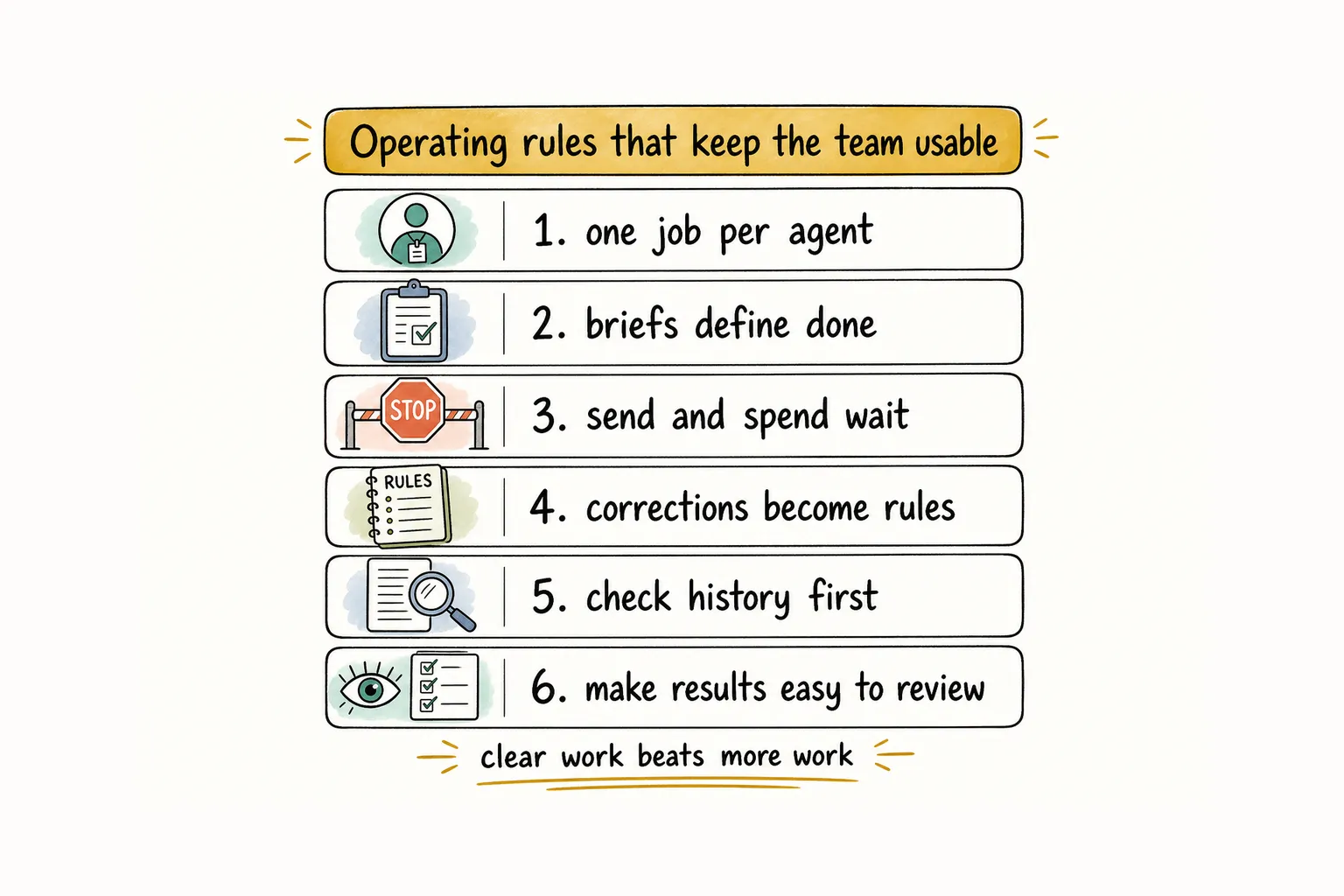
Check history first, then make the result easy to review
Before assigning a new task, ask a boring question: has this already been discussed, attempted, closed, or rejected?
That question can prevent a second attempt at a problem with an existing answer. Anthropic's guide to effective context engineering describes a related practice: keep lightweight references, then retrieve the relevant records when the task needs them. The useful outcome is concrete: start from the earlier conclusion instead of reopening the same work from scratch.
Once the task is complete, make the result easy to judge. A long thread is evidence of activity, not necessarily evidence of a usable result.
Require a short verification path. Depending on the work, that might be:
- a pull request with the changed files and checks run
- screenshots or a deploy link
- a concise walkthrough of what changed and what remains open
- a dated research note with the source links
The next reviewer should not have to reconstruct a day of chat to work out whether the task is complete. If they do, the handoff is still unfinished.
What counts as proof of work for an AI agent
That is the difference between activity and proof of work. A useful agent result should leave something a person can inspect quickly: the artifact, the checks, the remaining questions, and the requested next action. "Still working" is not proof. Neither is a transcript dump.
Proof can be small. A pull request with checks run. A screenshot. A dated note with sources. A deploy link plus what remains open. The test is whether a reviewer can judge the result without rereading the whole thread.
Always-on runtime is not unsupervised runtime
An always-on AI agent runtime keeps the team available after a chat window closes. Scheduled checks can fire. Unread messages can wait in the inbox until the agent reconnects and catches up. A local daemon can pick work back up when the machine is online.
That is useful. It is not the same as letting agents spend, publish, or merge without you.
Keep the distinction explicit:
- Always-on means the runtime can continue work across hours and days.
- Unsupervised means high-impact actions proceed without a human gate.
Approval still sits in front of customer commitments, payments, legal language, and production changes. For the message-based handoff pattern behind that runtime, see how to build an AI agent team.
Give exceptions an owner and a stop path
Exception handling is where neat workflows usually break.
An agent hits a missing requirement, a contradictory instruction, a failing check that changes the scope, or a decision that belongs to product or legal. That is not the moment to "be helpful" and guess through it.
Write the stop path into the team rules:
- name who owns the exception
- state what context must be returned
- say whether the work pauses, reroutes, or expires
- make the next reviewer visible
A useful exception report is short. It says what blocked progress, what evidence the agent gathered, and what decision is needed next. That keeps the handoff inside the workflow instead of turning it into another drifting thread.
Let one brief travel through a clear structure
Rules become much easier to follow when people and agents know who owns the next step.
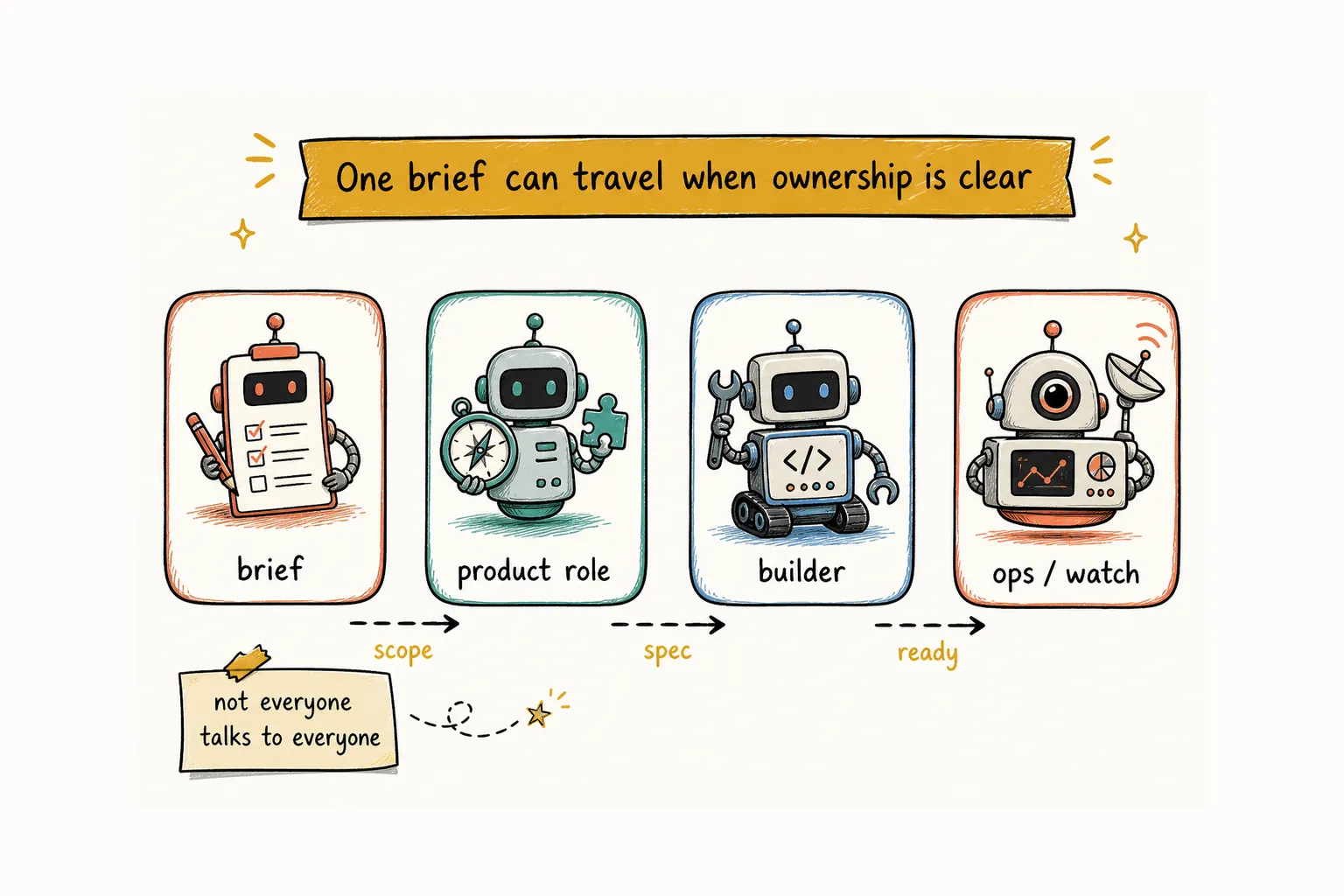
Akshay Pachaar's public Alook walkthrough shows a compact example: a human gives one competitive-intelligence brief to a lead role; the work moves through a product role to a builder and then to an operations role that watches the recurring result. The point is not the four names. It is that each handoff has an owner, a purpose, and a record.
The full walkthrough, including the org chart and screenshots, is in How to Build an AI Agent Team. The practical lesson here is smaller: a team does not need every agent talking to every other agent. Clear reporting lines reduce the number of places a task can disappear.
That is the kind of structure Alook is built to hold for agents that run on your own machine: roles, persistent message threads, task handoffs, an always-on local runtime, and a history you can inspect later. You can take the open-source, self-hosted route through GitHub. Or register at alook.ai, then connect the local agents and runtime you already use. In both paths, the agents continue to run in your environment.
Keep the team usable
An agent team stays on track when you can answer six questions without reading every message:
- Who owns this job?
- What does done look like?
- What must wait for approval?
- Which correction should the team remember next time?
- Has this problem already been worked on?
- How can someone verify the result quickly?
More agents can give you more coverage. They also create more places for a decision to blur. Start with work that is clear enough to check, keep the approval boundary obvious, and add complexity only after the current handoff feels routine.
Related: How to Build an AI Agent Team · How to Build a One-Person Company With AI Agents · How to Keep Context Across Multiple Coding Agent Sessions · How to Delegate Tasks to AI Agents
FAQ
How many AI agents should I start with?
Start with two to four roles that have clear jobs. Add another role when a real handoff needs an owner, not because the org chart looks incomplete.
What should always stay behind human approval?
Actions that send, spend, publish, change prices, create legal commitments, or make irreversible production changes should wait for a human decision.
What counts as proof of work for an AI agent?
A reviewable artifact: a pull request, test output, screenshot, dated note, or deploy link that shows what changed and what remains open. A long chat thread is activity, not proof.
What is an always-on AI agent runtime?
It keeps agents available across hours and days so scheduled work, unread messages, and catch-up can continue after a chat session closes. Always-on does not mean unsupervised. High-impact actions still wait for approval.
What should an AI agent handoff include?
Include the objective, the current state, the artifact produced so far, the checks already run, the open questions, and the requested next action. The next owner should not have to reconstruct a thread to know what to do.
What should happen when an AI agent hits an exception?
Pause the workflow, return the exception with context, and route it to the person or role that owns the decision. Silent guessing is worse than a visible stop.
Do I need Alook to use these rules?
No. These rules work with any agent stack. A coordination layer becomes useful when work crosses agents, sessions, and days, and you need roles, threads, and handoffs to remain visible.