How to Bring Claude Code and Codex Together
Coding agents across runtimes & repos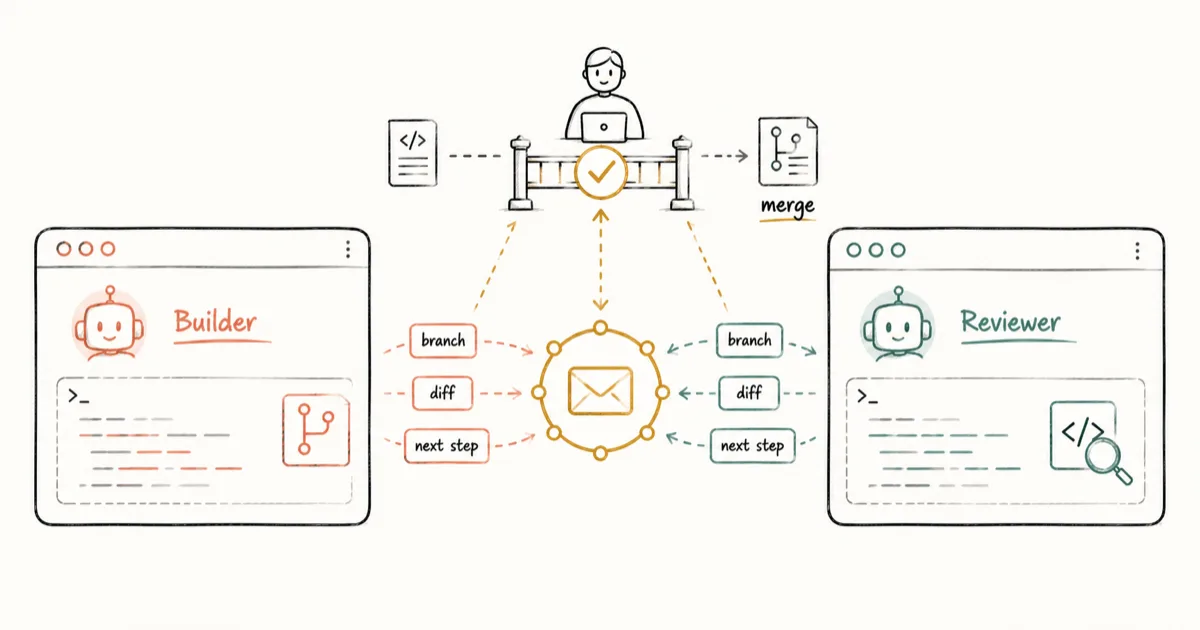
Yes, Claude Code and Codex can work on the same project. Choose who will make the change and who will review it. Keep concurrent edits in separate working copies, then send the next tool a clear handoff. A person still approves the final merge or release.
Claude Code workflows can use a manual handoff, the official Codex plugin for Claude Code, or a shared discussion with teammates. Choose a manual note for occasional work, the plugin for calling Codex from Claude Code, and a shared space when several people need to follow the exchange.
You can manage this workflow without writing code, but someone still needs to own repository safety, tests, and merges. If you handle the code, the Git section below explains how to keep edits separate.
Claude Code and Codex workflow: six steps
A Claude Code development workflow is the sequence from a scoped request to a checked result. For this two-tool version, follow six steps:
- A person defines one scoped task and what "done" means.
- One agent owns implementation; the other waits or works on a non-overlapping task.
- If both work at once, give them separate copies of the project so they cannot overwrite each other.
- The implementer sends a handoff with the work state and the requested next action.
- The reviewer checks the diff and returns findings. The implementer fixes them, then sends the revised commit back for another review.
- A person approves the final merge and any release, permission, or customer-facing change.
Either tool can build or review. Pick the split that fits the task and your team.
What to include in a Claude Code and Codex handoff
- Goal: what this task should achieve
- Working state: checkout, branch, commit when available, and any uncommitted changes that matter
- Files changed: the intended scope of the edit
- Decisions: what was chosen, rejected, or left undecided
- Checks: tests, linters, builds, or manual checks already run
- Open questions: risks or blockers that still need judgment
- Next action: review, revise, test, or escalate to a person
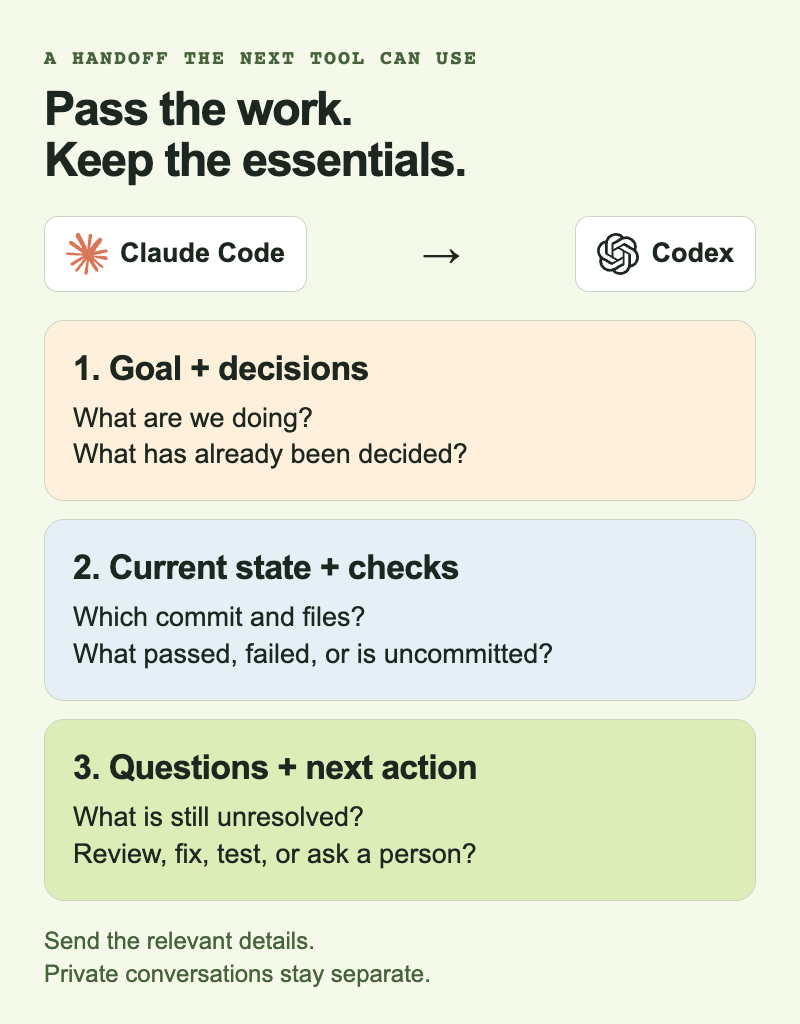
An explicit handoff keeps the next task tied to the current work.
For a launch FAQ, a handoff might read:
Goal: Prepare the launch FAQ.
Completed: Claude Code drafted answers from the approved product notes.
Decision: Keep answers under 80 words and avoid pricing claims.
Open question: Does the security answer need legal review?
Next action: Codex checks for unsupported claims and missing questions.
For a code change, the Claude Code workflow example below includes the branch, commit, and checks. The commit IDs and test results are illustrative:
Goal: Add validation to the team-invite form.
State: branch feature/invite-validation; commit 8f31c2a; clean working tree.
Files changed: InviteForm.tsx, invite-schema.ts, invite-form.test.ts.
Decision: Validate on blur and submit; keep server errors inline.
Checks: unit tests and typecheck passed.
Open question: Should an expired invite use the same error state?
Next action: Review the diff for edge cases and test coverage.
Code review workflow: fix, recheck, approve
The Claude Code review workflow continues after the first finding. Suppose Codex finds that an expired invite still enables Submit. Claude Code fixes it in commit b74d2e9, adds a regression test, and reports the new test result. Codex reviews the revised diff and checks the original finding. A person approves that revised commit, not the earlier version. An unresolved finding goes back to the implementer.
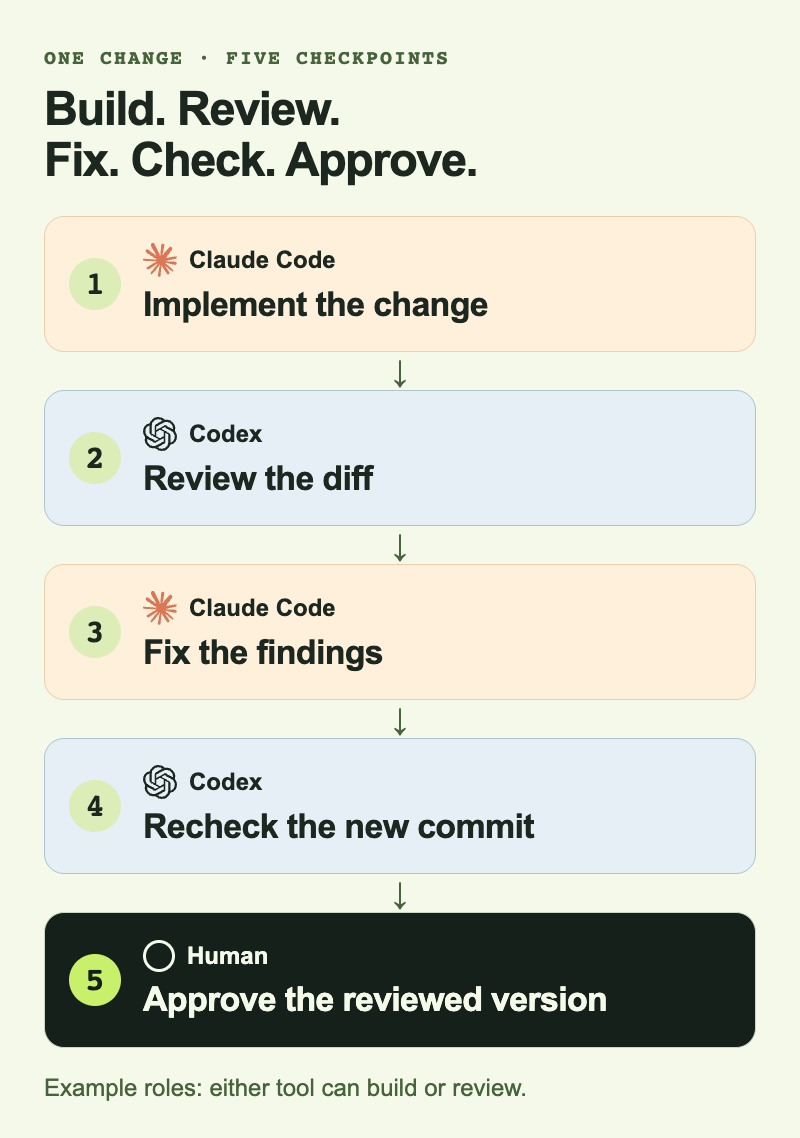
Illustrative review loop. Either tool can build or review; approval applies to the revised version.
Resume a session or pass a handoff
Closing a terminal is different from starting with no history: Claude Code can resume saved sessions. A fresh session still needs the relevant decisions and next action. Preserve files or a durable commit, then have the next agent inspect uncommitted and untracked changes. If the note conflicts with the files or tests, reconcile the difference before continuing. Shared project instructions define rules; they do not carry the latest review result.
Four ways to use Claude Code and Codex together
Pick a setup based on who needs to participate and how often the work changes hands. You can combine the options below, including the plugin for calling one tool from the other.
One small or experimental task
- Start with: Manual handoff
- What it handles: Full human control with almost no setup
- Main limitation: You carry every update between sessions
Code moving between implementer and reviewer
- Start with: Git branches, commits, and pull requests
- What it handles: Diffs, code history, and review
- Main limitation: Git does not assign the next owner or preserve every decision
The whole job stays inside one product
- Start with: Claude Code subagents or Codex threads
- What it handles: Parallel work inside one runtime
- Main limitation: It does not connect independent Claude Code and Codex sessions
The same workflow repeats across both tools
- Start with: A shared workspace such as Alook
- What it handles: Teammates work directly with each other's bots, with persistent identities and saved context
- Main limitation: Bots need their connected computers online; setup may be unnecessary for one-off work
Claude Code subagents can work in separate context windows and report back to a main Claude Code session. The Codex app supports multiple agents in parallel, with separate threads and isolated copies of a repository. These features work well when every agent is inside the same product. They do not make the other product share its private session.
Use the official Codex plugin for Claude Code
To run an OpenAI Codex workflow from Claude Code, install the official plugin linked above and check its setup. Then choose the command for the job:
/codex:reviewrequests a read-only review./codex:rescuedelegates a task such as investigating or fixing a bug./codex:transferimports the current Claude Code session into a persistent Codex thread and returns a command to resume it. This needs a Codex version with session-import support.
The plugin uses your local Codex installation, authentication, configuration, and repository checkout. Pause other edits when delegating changes in that checkout. It does not create a separate working copy for you or continuously synchronize both tools' private conversations.
Git worktrees and separate checkouts for parallel edits
If you do not manage code, you can skip this section.
Start with two Claude Code workflow best practices: isolate edits and review a specific version. Branches separate commit history. They do not isolate two agents editing the same working directory. For concurrent edits, use separate checkouts as well as separate branches. A Git worktree, a separate clone, or a container with its own repository checkout can provide edit isolation.
implementation checkout: branch feature/payment-copy
review checkout: detached at the handed-off commit, or reviewing its PR
A read-only reviewer does not need a separate review branch. If the reviewer will change files, create a branch from the handed-off commit. Merge only after dependencies, conflicts, and tests are checked. If both agents need the same file, let one edit while the other reviews or proposes changes.
When one coding agent is enough
You probably do not need a shared workflow across both tools when:
- one runtime and one session can finish the task;
- you are still learning either tool;
- native subagents or threads already cover the workflow;
- implementation and review rarely cross between products; or
- copying a short handoff is occasional, not recurring work.
Start with one agent or a manual note. Add a shared workflow when you keep losing track of ownership, forwarding updates, or repeating decisions.
Keep recurring Claude Code and Codex work on track
Opening both tools side by side does not keep them coordinated. If work moves between them often, someone still has to say who is doing what, what is finished, and what happens next.
Trust the current checkout and test results over an outdated note. Committed Git history records committed code, but the working tree may contain newer work. Use the note for decisions, open questions, and the next action. Check the project itself before continuing.
Share Claude Code and Codex bots with teammates in Alook
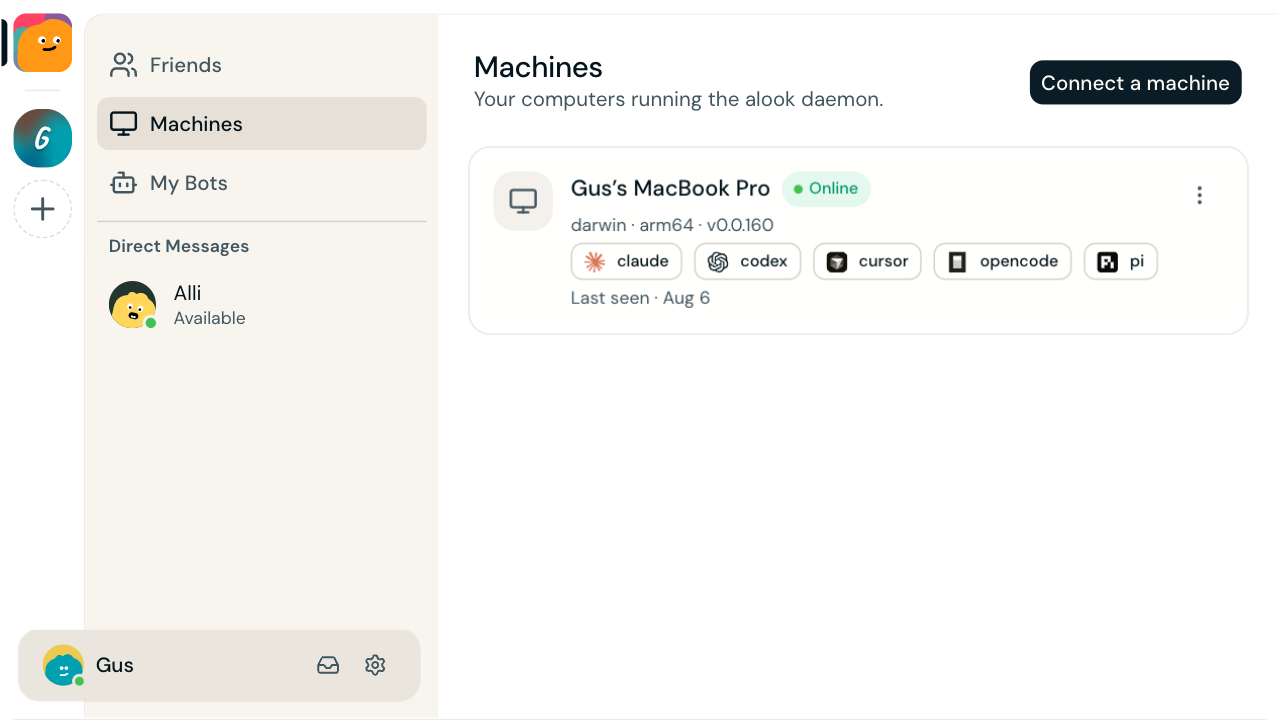
The Machines screenshot shows Claude Code (labeled "claude") and Codex among the available tools. This is an example computer setup, not a record of the collaboration below.
Alook lets teammates work directly with bots you run on your own computer. Give a bot powered by Claude Code or Codex a name and handle, then bring it into a project channel with people you trust. It has its own inbox and can join the conversations you share with it. A teammate can ask it for work without sending every request through you.
The bot keeps its identity and its own saved context across conversations. It can consult earlier messages and its notes about agreed responsibilities, decisions, and preferences when work resumes. Marks keep unfinished requests visible. This depends on the bot recording and checking the relevant information; separate bots do not automatically share all private memories.
Example: two owners, two bots, one review
In this example, Lin owns Scout, running Claude Code; Priya owns Quill, running Codex. Both people and both bots have access to the project channel, and each bot has the repository access its owner has configured.
- Priya asks Scout directly to add invite validation. Scout checks its saved implementation responsibilities and asks Lin whether expired invites are included.
- Lin confirms the scope in the channel. Scout implements it, posts the commit and test results, and asks Quill for review.
- Quill flags a missed case. Scout fixes it and returns the new commit; Quill reviews that version and reports back to both people.
- Priya checks the result and approves the merge. Scout records the settled requirement for later tasks and clears the completed request's mark.
Lin does not have to relay Priya's request or Quill's findings. The bots can carry the work forward and ask for a decision when needed. Their computers and Alook connections must stay online; you can close the browser and check updates from your phone.
Sharing a bot does not give teammates its owner's credentials or automatically upload local project files. People with access to a conversation can see the messages and files shared there. Each bot still uses its own configured tools and permissions.
To try it, get started with Alook and follow the setup to connect your computer and an installed, authenticated tool. For self-hosting, use the open-source repository.
Claude Code and Codex FAQ
How do you use Claude Code and Codex together?
Give each agent a scoped role, isolate concurrent edits, use Git for code changes, and send an explicit handoff when work moves between them. Keep final merge and release approval with a person.
Can Claude Code and Codex work on the same repository?
Yes. If they edit concurrently, use independent checkouts and branches so they do not write into the same working directory. A Git worktree, separate clone, or container with its own repository checkout can provide that isolation.
Can Claude Code delegate to Codex?
Yes. OpenAI's official plugin lets Claude Code request a Codex review or delegate work. Give it a clear goal and review target; inspect the returned result before continuing.
Can Claude Code and Codex talk to each other directly?
Claude Code can call Codex through the official plugin. That is an explicit invocation, not automatic two-way sharing of every private conversation. For separate agents and their owners, a person can carry updates or a shared workspace can hold the messages they choose to send.
Do I need Git or worktrees?
Not for non-code work. If both agents edit the same repository at the same time, use separate checkouts and branches to prevent them from overwriting each other's files.
What happens when a coding-agent session closes?
A saved session may be resumed; the plugin also supports an explicit transfer to Codex. Neither means every new agent inherits all private history. Preserve the current files or a commit and a handoff note. Before continuing, inspect the checkout, including uncommitted work, and read the relevant decisions.
Does Alook replace Claude Code or Codex?
No. Alook gives your local bots persistent identities, conversations with teammates, and saved context they can use when work continues. Claude Code and Codex still run commands and edit files through their owners' configured tools. Teammates can work with those bots directly while their computers stay connected.