AI Agent Collaboration Platforms Compared
Foundations & team designAI agent collaboration platforms coordinate work between agents, through application code, business workflows, or a shared workspace. This guide compares 10 options and the work required to use them.
The first decision is what you need to deliver. An application developer needs control over execution; a workflow owner may need to connect business tools and approve actions. A team using existing agents also needs a place to assign work or discuss results. The comparison below uses official documentation, with no shared performance benchmark.
What is AI agent collaboration?
AI agent collaboration means agents work toward a common task and use one another's contributions. Take a research task: one agent collects source material, a second drafts a report from it, and a third checks whether the claims match the sources. A person decides whether to use the report. In this illustrative workflow, the draft depends on the research, and the review can send it back for revision.
Three unrelated chats leave that coordination to you. Someone still has to combine the answers and decide what happens next.
Collaboration can involve ordered tasks, parallel work, or repeated review, as described in IBM’s overview of multi-agent collaboration. The platform choice depends on where those relationships belong: inside application code, in a business process, or between people and bots. For the underlying control patterns, see AI agent orchestration.
What platforms support multi-agent collaboration?
LangGraph, OpenAI Agents SDK, Google ADK, CrewAI, Microsoft Agent Framework, n8n, Relevance AI, OpenAgents, Alook, and Paperclip support different forms of multi-agent collaboration. The table separates their main approaches so you can narrow the list before comparing individual products.
Start with the work you need to organize:
| Your requirement | Options to examine | What you still need to define |
|---|---|---|
| Build a multi-agent application | LangGraph, OpenAI Agents SDK, Google ADK, CrewAI, Microsoft Agent Framework | Agent responsibilities, tools, execution logic, and deployment |
| Connect agents to business processes | n8n, Relevance AI | Connections, credentials, routing, and review points |
| Work with colleagues and existing bots | OpenAgents, Alook, Paperclip | Conversation or task model, agent connections, and execution permissions |
These 10 products are a selected comparison. The numbering helps you find each product; it does not indicate a rank.
Multi-agent frameworks compared
For an application you will build and maintain, compare how each framework represents the work. State, handoffs, and task definitions affect the code your team will own.
1. LangGraph: control over state and execution paths
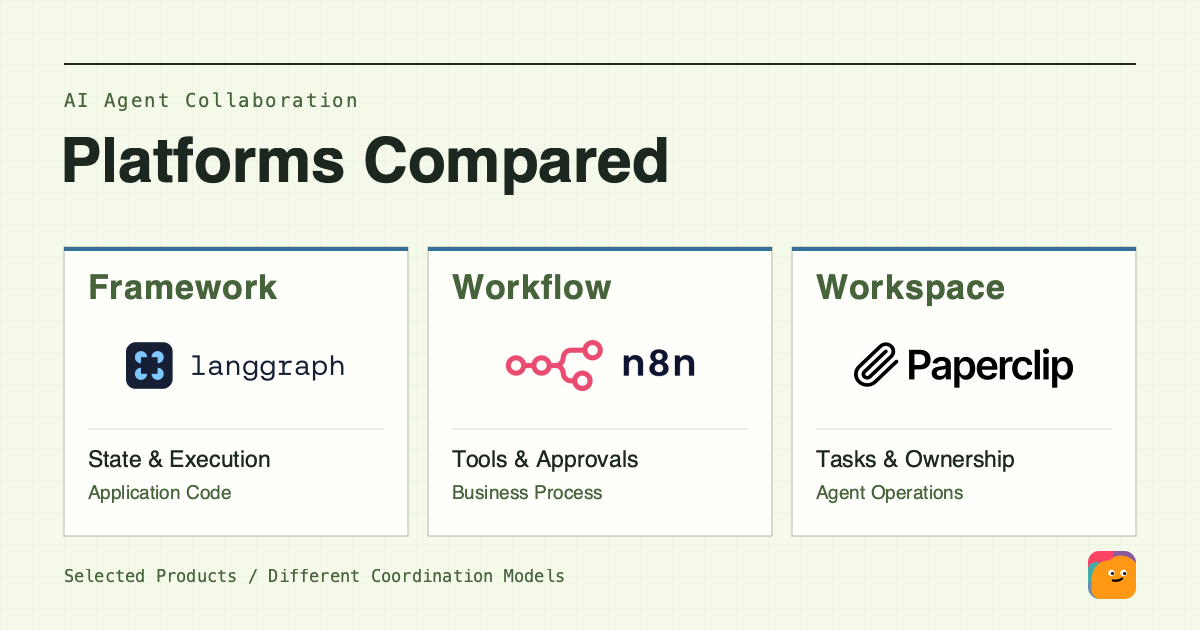
LangGraph is a low-level orchestration framework and runtime. It combines explicit execution paths with model-driven decisions.
With LangGraph, you design the graph and its integrations. Use it when your application needs explicit state transitions and defined pause points. Keep the runtime decision separate from buying LangSmith services for tracing or deployment; those are related products with different responsibilities.
2. OpenAI Agents SDK: specialists as tools or handoffs
The OpenAI Agents SDK runs in your application. Your application owns deployment, tool implementations, storage choices, and approval decisions.
Its orchestration patterns give you two ways to delegate: a manager can call specialists as tools and remain responsible for the answer, or hand control to a specialist. Choose the pattern according to which agent should own the response. OpenAI's managed Agents API is a separate option.
3. Google ADK: agents and workflow nodes
Google ADK workflows combine agents with executable nodes. Current documentation includes graph-based, dynamic, collaborative, and template workflows.
For an application that mixes agent decisions with executable workflow nodes, ADK lets you choose between several workflow models. Check the language and version behind each feature: graph and dynamic workflows are marked ADK 2.0 and higher, while individual guides specify their supported SDKs. Confirm support in the SDK version you plan to deploy.
4. CrewAI: roles, tasks, and crew processes
CrewAI crews organize agents around tasks and a process, including sequential and hierarchical execution. The documentation's research-and-analysis example makes the relationship concrete: the analysis task takes the research task as context and produces a report.
CrewAI suits work you can describe through roles and task outputs. Define the inputs and tools for each role, then give its output an acceptance criterion. A reviewer, for example, needs a specific instruction to check citations against the source material.
5. Microsoft Agent Framework: workflows in the Microsoft ecosystem
Microsoft Agent Framework combines agent abstractions with graph-based workflows. Microsoft describes it as the direct successor to AutoGen and Semantic Kernel.
For a new Microsoft-stack project, check the supported languages and required integrations alongside the workflow model. For an existing implementation, begin with the migration guidance below. Hosting remains a separate choice.
Multi-agent workflow platforms compared
If the deliverable is a business process that reads from one system and updates another, examine workflow tools before committing to an application framework. Use the same requirements to compare both candidates: a handoff, a human decision, and recovery after failure.
6. n8n: agents inside business workflows
n8n's AI Agent Tool lets a root agent call other agents as tools, including nested arrangements. Multi-agent behavior can therefore sit inside a broader workflow.
Its human review feature can pause selected tool calls for approval or denial. n8n fits work that connects agent decisions to business actions. You still need to configure credentials, tool inputs, and which actions require review.
7. Relevance AI: agent teams on a visual canvas
Relevance AI Workforces provides a canvas for connecting specialist agents and tools. Connections can let an agent decide whether to hand off, require a next step, or follow conditions.
The canvas makes the connections visible, but you still decide how each transition works. Use a mandatory next step for a required handoff; reserve AI-driven connections for decisions that may depend on context.
| Requirement | n8n: evidence checked | Relevance AI: evidence checked |
|---|---|---|
| Pass work to another agent | A root agent calls another agent as a tool | AI connections, mandatory next steps, and conditional routing |
| Wait for a person before a tool action | Selected tools can require approval or denial | The exact approval configuration for this Workforce needs verification |
| Continue after an execution failure | Resume point and repeated actions need verification for the configured workflow | Resume point and repeated actions need verification for the configured Workforce |
“Needs verification” means this comparison has not established the behavior for that configuration. It does not mean the product lacks the feature. Before choosing, demonstrate all three requirements in each candidate using the same input and proposed business action.
For examples of the processes these tools might support, see multi-agent workflow patterns. Use those patterns to describe a trial that your workflow owner could maintain.
Which multi-agent workflow platform is best for your needs?
The best multi-agent workflow platform depends on who will build it and how the work must run. Start with n8n and Relevance AI for connected business processes; compare application frameworks when you need to own the execution logic in code. Existing-agent teams should also compare workspace options.
Shortlists for application and business teams
Use these documentation-based shortlists to plan a trial:
| Your constraint | Start by comparing | What should decide the choice |
|---|---|---|
| You are building an application with explicit execution requirements | LangGraph, OpenAI Agents SDK, Google ADK | Which state, delegation, and workflow model fits the code you will maintain? |
| Roles and task outputs are the main design unit | CrewAI and LangGraph | Is a role-and-task process sufficient, or do you need explicit graph state and paths? |
| You are extending an AutoGen or Semantic Kernel application | Assess Microsoft Agent Framework through the relevant migration guide first | Which tools, sessions, and workflows can you carry forward, and which need changes? |
| The work connects business tools and needs review points | n8n, Relevance AI | Which connections and control choices can your workflow owner maintain? |
| You need a workspace for existing agents | OpenAgents, Alook, Paperclip | Do shared discussions or assigned tasks better fit how your team coordinates work? |
For an existing Microsoft-stack application, start by inventorying the implementation and reviewing the official AutoGen migration guide or Semantic Kernel migration guide. Compare another SDK only if you have a reason to rebuild and can assess that work; the table does not imply a direct replacement.
For a report-producing application, for example, compare LangGraph's state and paths with the SDK's specialist ownership and ADK's workflow composition. If the report is one step in an existing business process, try n8n and Relevance AI first instead. The report may be the same, but its place in the larger process changes which tools are worth testing first.
History and execution recovery require different checks
Saved conversation history and resumable execution state serve different purposes. Check both before relying on a long-running workflow.
Saved messages and files
Can the next agent obtain the required input, identify its version, and see the review result? A transcript may explain an earlier decision without recording which tool calls completed. Check what is stored, who can read it, and how a new run loads it.
Resuming an interrupted run
Which saved execution state allows work to continue? What can run again?
LangGraph's persistence documentation distinguishes graph checkpoints from cross-thread stores. It also warns that in-memory checkpoints disappear when the process restarts. The OpenAI SDK's results and state guide separates conversation history from the snapshot used to resume a run awaiting approval. ADK's resume guide requires configuration and warns that tools may execute more than once during recovery.
A “memory supported” checkbox hides these differences. Record the persistence mechanism and its limits for each candidate; leave unverified behavior unresolved.
Use a small trial: supply one requirements document, request a reviewable output, and pause before a business action. Interrupt the run once. Inspect the input version, saved state, repeated tool calls, and approval result. This is a proposed evaluation, not a test performed for this guide.
Collaboration platforms for people and existing bots
If colleagues already have agents, compare the workspace around their work. Shared discussions may suit open-ended review, while assigned tickets can make ownership and the next step explicit. Connection setup and access boundaries matter in either case.
8. OpenAgents: cloud and local agents in a workspace
OpenAgents provides shared threads, files, and tasks. Its documentation describes both cloud agents and local agents connected through its Launcher or CLI. You can start with a cloud agent without installing the local Launcher. Check the connection mode and what material participants can access.
9. Alook: people and bots with connected runtimes
Alook, which publishes this guide, lets people and bots participate with separate identities while connected machines run the agents. It suits colleagues who want to bring existing bots into shared discussions. Plan for an available machine and runtime; channel membership does not grant additional local tool permissions. Compare it with OpenAgents on connection setup, participation, and access boundaries. Neither a readable conversation nor a saved file proves an interrupted task will resume. The collaboration without code guide covers that workspace-oriented path in more detail.
10. Paperclip: goals and assigned work for an agent team
Paperclip organizes existing agents through goals, reporting roles, and tickets. Each ticket has an owner, status, and discussion thread. Agents can wake on schedules or task notifications, while a dashboard tracks their work and budgets.
For teams assigning ongoing agent work, Paperclip makes the ticket the unit of coordination. During a trial, check whether the person supervising the work can find its owner, review the result, and assign the next step.
Paperclip's governance covers actions such as approving agent hires, and people can pause agents or reassign tasks. Its official FAQ separates those controls from securing the agents themselves. Check the connected runtime's permissions independently. A task log also does not establish where an interrupted tool execution will resume; verify that behavior in your setup.
Multi-agent platform FAQs
Do you need multiple agents for every workflow?
No. Use multiple agents when their separate responsibilities justify the coordination work. One agent may already handle the task, and a predictable step may be better implemented as an ordinary function. Microsoft's framework documentation explicitly advises using a function when one can do the job. Keep the simpler implementation until another agent has a clear job and a useful output to pass on.
What costs sit outside the platform subscription?
Budget for model usage and tool services as well as the infrastructure you run. Hosting or local machines and storage can sit outside the platform subscription. Determine which are included and which are billed separately for the deployment you choose. Also account for maintaining credentials, reviewing failures, and updating integrations. A useful cost comparison follows the same workload through each candidate, rather than comparing entry-plan prices alone.