Grok Bot vs Meta Muse vs Manus Cue: Which to Choose?
Foundations & team designTry Grok Bot if you want persistent roles or a Bot your team can share. Muse puts ongoing personal and business goals at the center of the work. With Manus Cue, you give agents separate communication identities and bring them together for handoffs. Start with the task and the tools you need to keep.
Based on official documentation, public demos and official UI images checked October 19, 2026. This is a documentation comparison, without a matched-task performance test.
Use these differences to plan a trial. All three can handle personal and business tasks, with overlapping capabilities.
Grok Bot vs Meta Muse vs Manus Cue: What features do they offer?
You can use all three for work that continues beyond a chat reply. Their interfaces organize that work differently: Grok around Bot responsibilities, Muse around ongoing goals, and Cue around agents with separate identities and roles.
Grok Bot: persistent roles and a shared team option
Give a Grok Bot a name and a job, such as research, outbound sales or expense management, then connect the services it needs. It keeps context over time and can pass work to other Bots. Grok's overview describes the product separately from the Grok chatbot and Grok Build coding tool.
Meta Muse: ongoing personal and business goals
Muse learns your preferences as it pursues goals over time. Keep the main conversation for ongoing work. Open side chats for separate topics. Meta's design explanation puts goals and activity beside the conversation. It also shows suggested tasks, so you can check what Muse is doing while you are elsewhere.
Manus Cue: separate agent identities and group handoffs
Each Cue agent gets its own email, phone number, wallet and computer; give several agents different responsibilities and put them in a group chat. The Manus 2.0 announcement describes Cue as a standalone app. Check Cue-specific documentation before assuming it includes a feature from Manus Studio.
App integrations and computer access: What can each agent use?
Grok Bot combines a cloud computer with authorized local commands. If you need Mac apps or business connectors, Muse supports both alongside its cloud environment. Cue provides an agent computer and connected services. Check your required accounts and files against each setup.
Suppose your customer briefing needs a CRM, email and a project folder. Use that list to check the documentation. We have not run this task as a comparison test.
Sources: Grok computer access, Muse Mac, Muse business connectors and Cue.
Local file access, self-hosting the agent and running its model locally are different capabilities. For the briefing, confirm the CRM connection and how the agent reaches the project folder.
Team Bots and group chat: How does collaboration work?
In Grok Bot, you can use personal multi-Bot conversations or share a Team Bot. Cue shows agents dividing work in a group chat. Muse has side chats and business connections; the reviewed sources leave its multi-owner arrangement unclear. Check which people and accounts need to join.
- Grok Bot: A Team Bot gives teammates a shared role and expertise, including access through Slack. Shared team memory and personal notes have separate treatment. Check the shared configuration and credentials; publishing a Team Bot differs from sharing a template someone copies.
- Meta Muse: Side chats separate topics. Business connectors provide service access. If several owners need to participate, ask for a demonstration with their actual accounts; those features alone do not establish that arrangement.
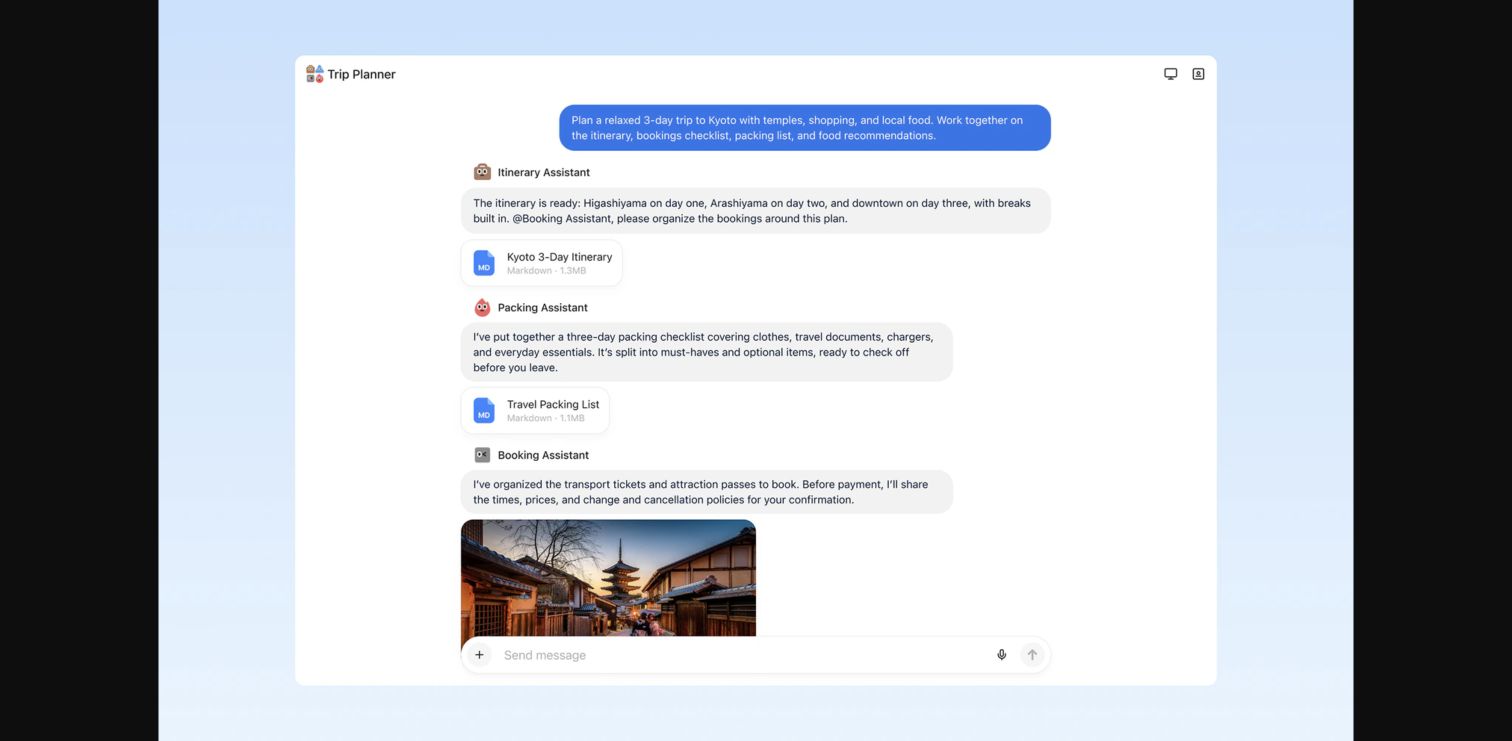
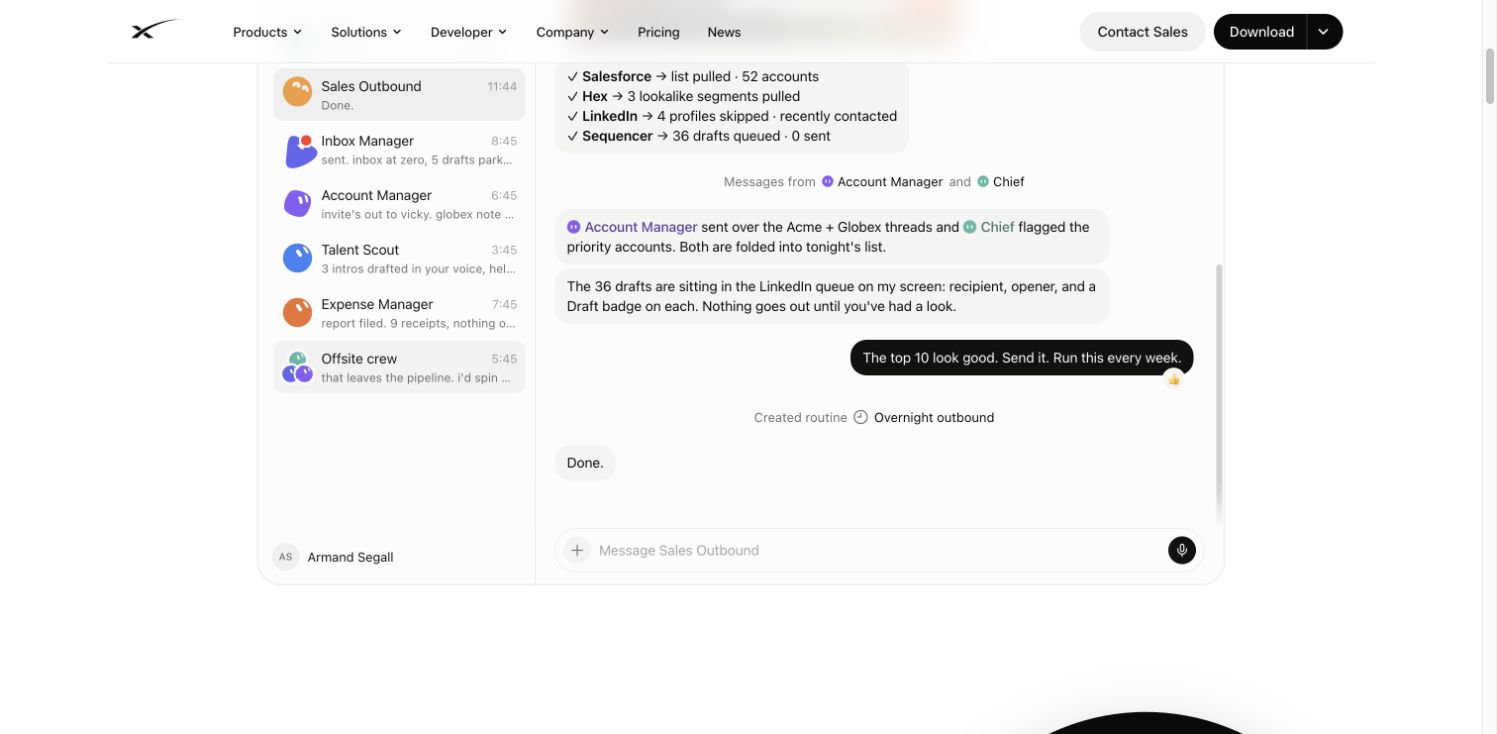
- Manus Cue: The official group-chat image shows an itinerary agent handing work to a booking agent and a packing agent contributing a file. Named speakers and an @mention are visible. You can also see separate deliverables. The image does not establish every multi-owner permission arrangement.
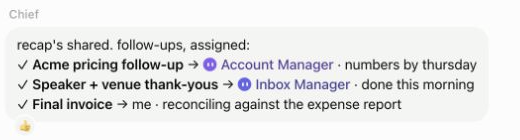
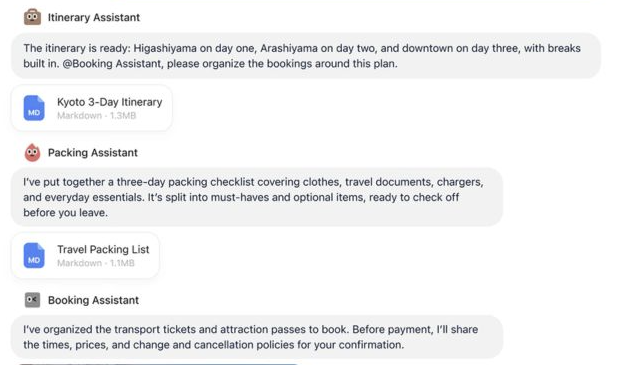
Official examples with different tasks, not a performance test. Each detail keeps its source and original image. On a narrow screen, scroll inside a detail to read the full message. Open full group comparison.
For more background on the distinction between agents exchanging messages and the environment people share with them, see AI agent communication.
Task tracking, Goals and approvals: How do you manage ongoing tasks?
You can follow Grok's work in conversations, drafts and its computer view. For Muse, look at activity, Goals, Artifacts and approval cards. Cue's published group examples show files moving between roles and decisions returning to the user. Check the deliverable as well as the point where work waits for you.
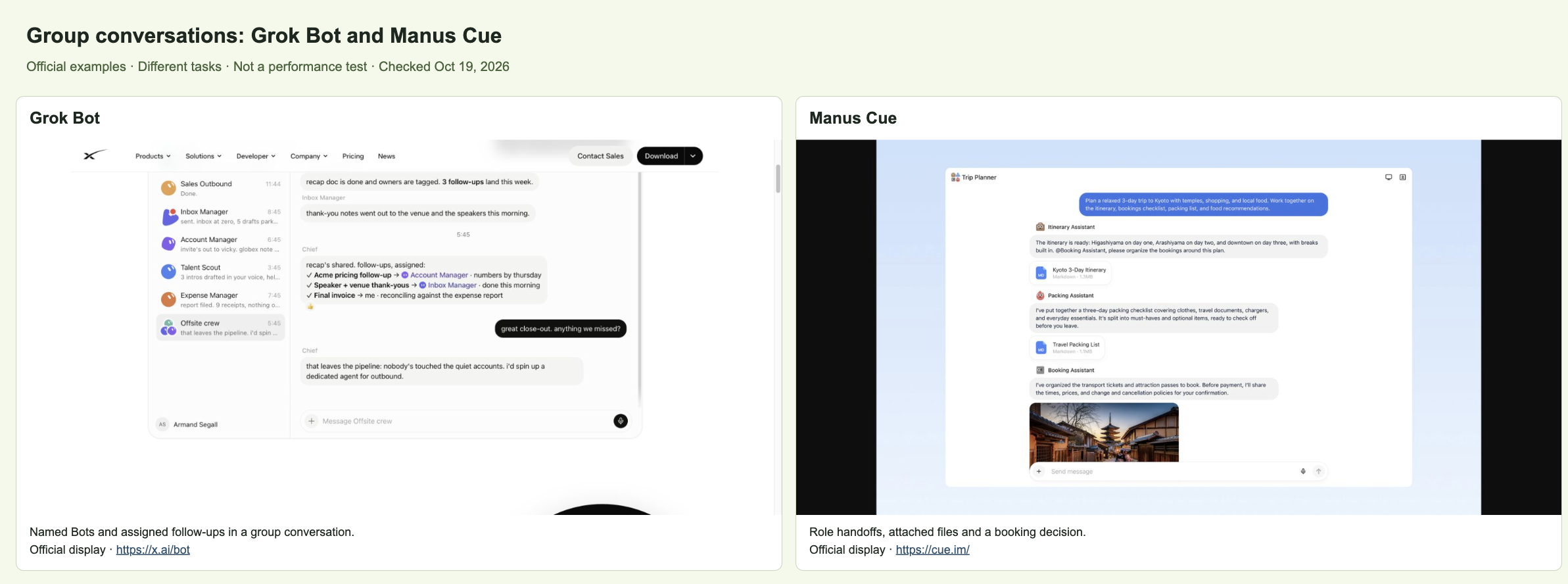
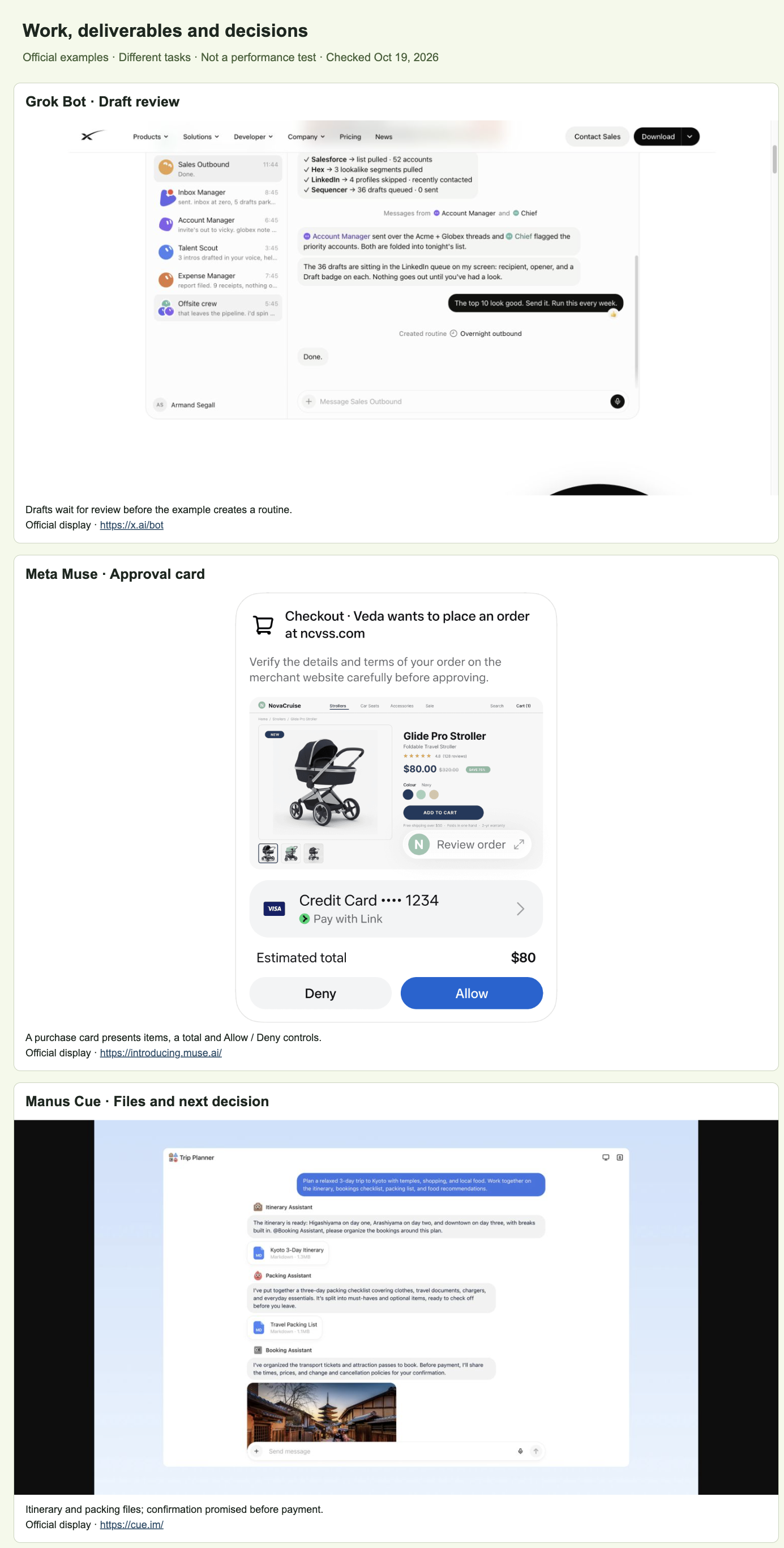
- Grok Bot: The public sales demo shows a login request, messages from other Bots and drafts before a routine is created. The computer view lets the person watch or take control. The demo's counts and completed actions are example content.
- Meta Muse: Official UI images show activity, Goals and purchase approval cards, with documents and interactive outputs in Artifacts. You can inspect a document in Artifacts or respond to a pending approval card.
- Manus Cue: The launch example describes agents researching venues, making a shortlist and preparing a deck. The user makes the final call. Its published group image also shows files and a booking agent promising confirmation before payment.
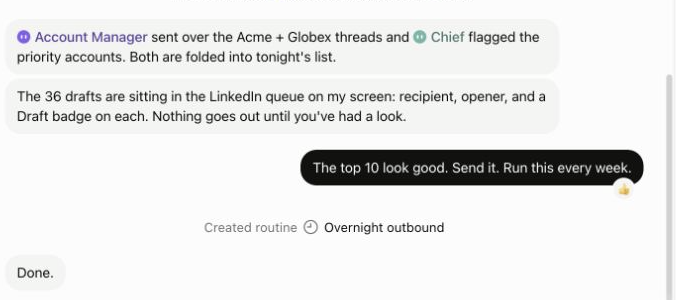
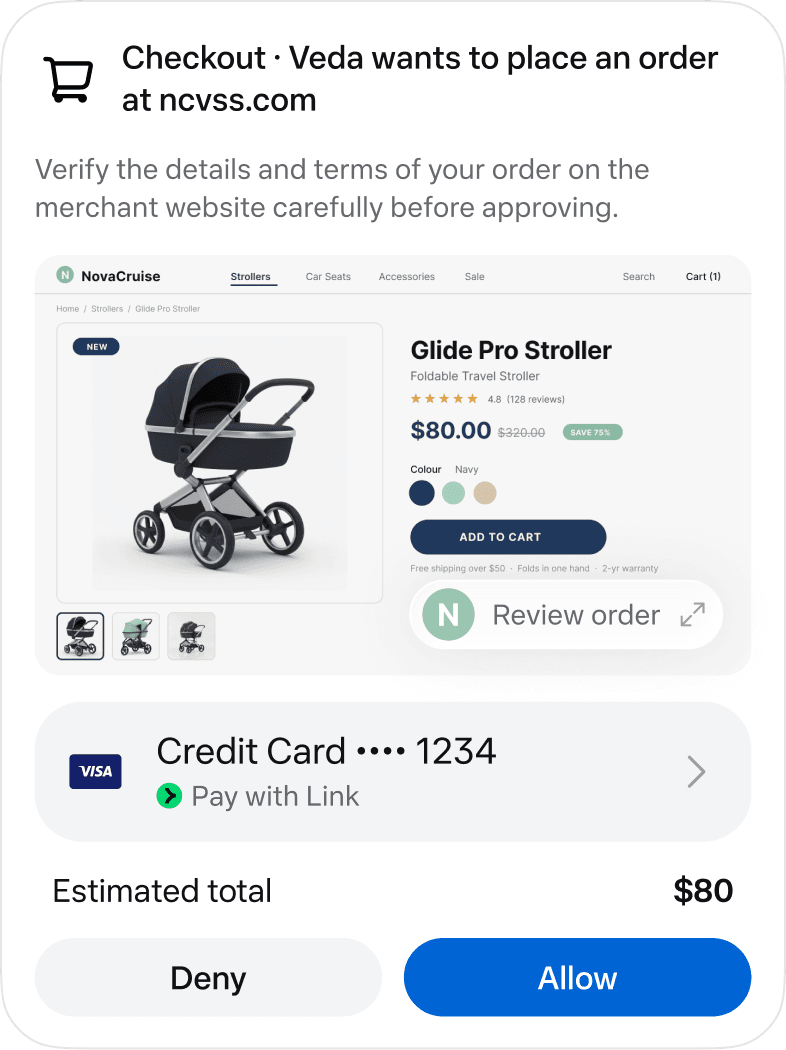
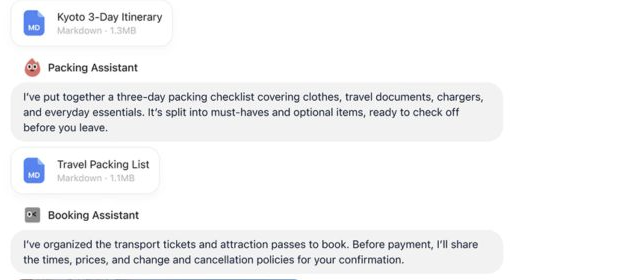
Official examples, not our task results. Open the full three-product comparison. Each full original remains available above.
Email and payments are available in more than one of these products. Grok's October 11 changelog also added Bot email addresses and payments through X Money or Stripe Link, so compare the approval flow and account access you would actually use.
Grok Bot, Meta Muse and Manus Cue: Pricing and availability
Grok publishes individual monthly prices and usage limits, while Muse offers free and subscription access. Muse's business offer also has eligibility conditions. We have not confirmed Cue's current price schedule, so we cannot compare total costs on the same basis.
The X Subscription bundles Cursor and Grok, including Grok Bot on Premium, Super and Ultra. Eligible legacy Cursor plans can also provide Grok Bot access. Check the billing terms for the plan you actually use.
Sources: Grok prices, Grok billing, Muse business offer and Cue launch. Dollar figures are USD per month for the individual X Subscription plans that include Grok Bot, not comparable prices for all three products. The general Manus pricing page does not establish Cue pricing.
Choose a plan against the workload you expect. Check its limits and the services you will connect.
Which personal agent should you choose?
- Try Grok Bot when persistent roles and a shared Team Bot fit how your colleagues work.
- Try Meta Muse for ongoing goals across supported personal or business tools, with goals, activity and approvals to review.
- Look at Manus Cue when separate agent identities and group handoffs are central to the task.
Already using Claude Code or Codex? Read Personal agents vs coding agents to check whether adding a personal-agent product would address a gap in your current setup.
If your bot already works with your files and tools, Alook lets colleagues and their bots join the conversation. Keep a supported execution tool, such as Claude Code or Codex, so a coworker can ask the bot about its work. Each owner controls their runtime and tools, but you need to set up the connection and leave the execution machine online. We have not established native Alook connections to Grok Bot, Muse or Cue. See the coworker example for that interaction, or the Grok Bot comparison for the two-product decision.
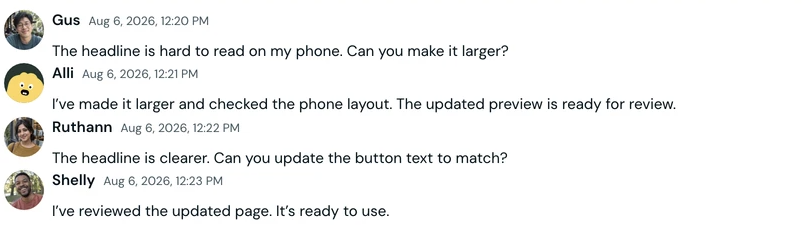
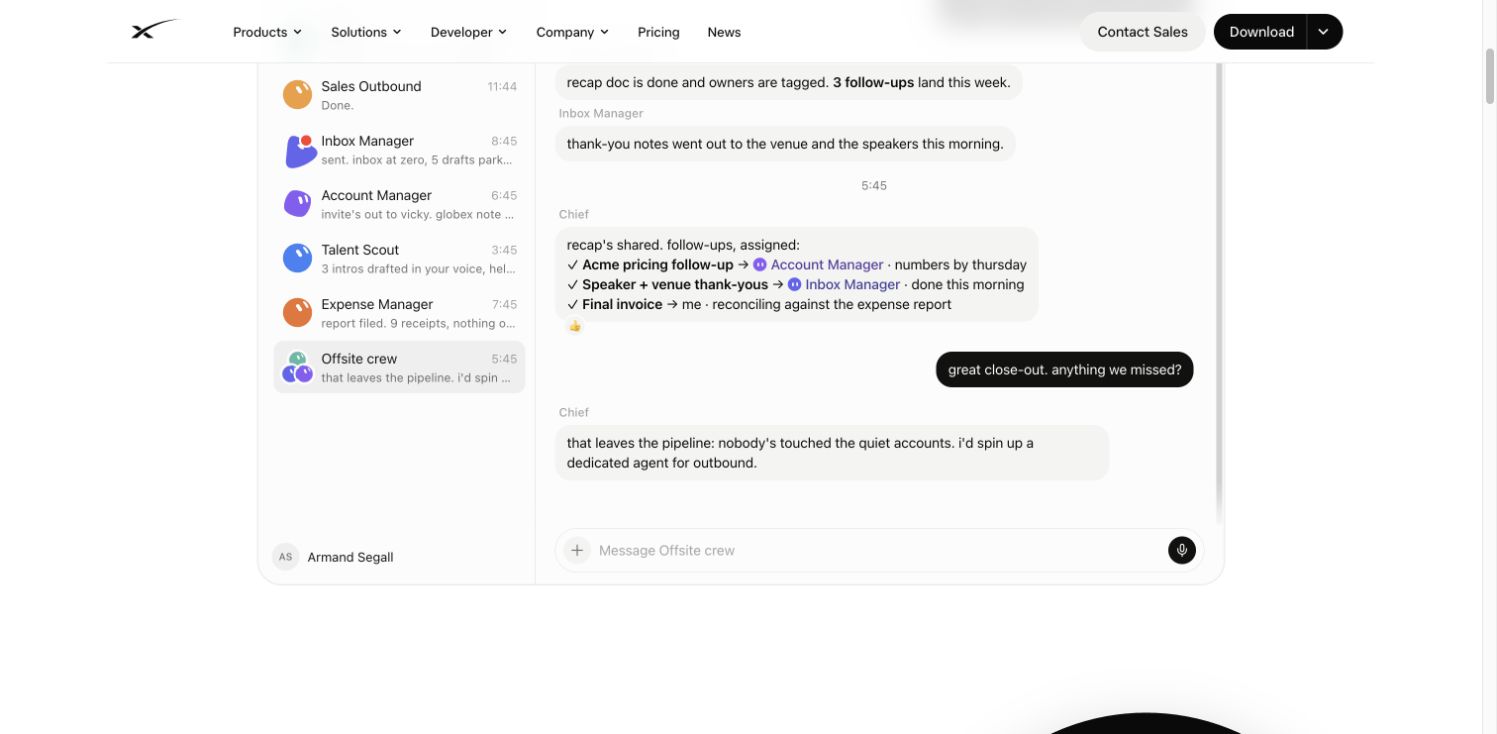
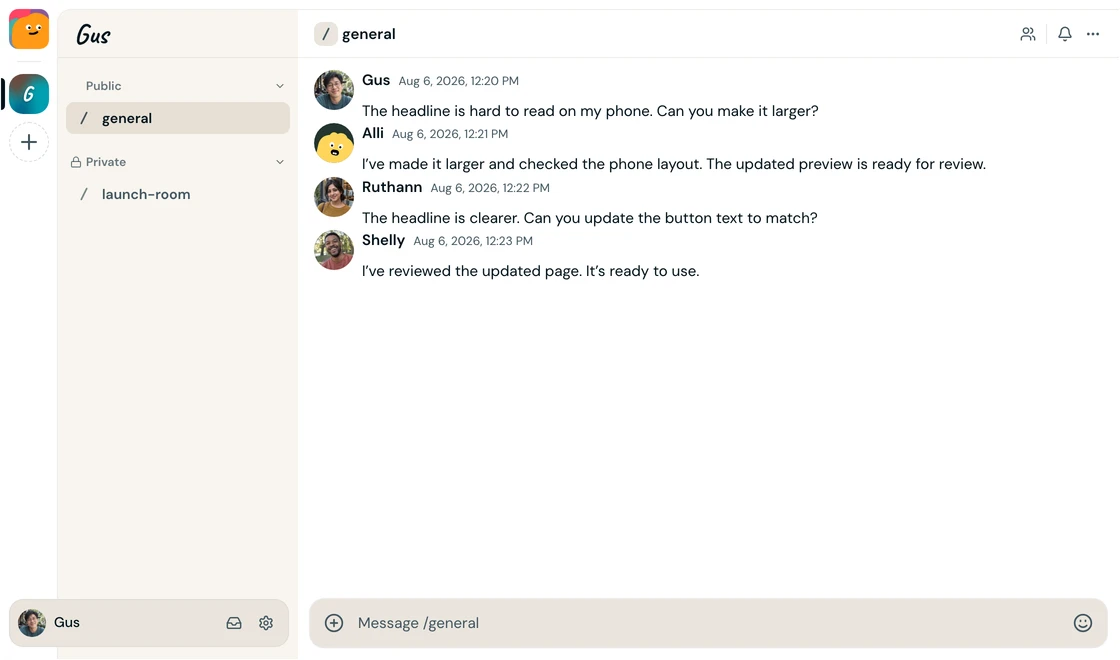
Official homepage demonstration, not a task we ran. It illustrates shared participation; the image does not show which runtime is connected.
For the customer briefing, check whether the agent can read the right records and produce a usable file. Have the next person in the workflow review it. Use that result to decide whether to keep the setup or change it.