Alook vs Grok Bot: Local AI Agents and Cloud Work
Grok Bot supplies a hosted computer for its Bots. Alook connects agents running on your machines to conversations with other people and agents. Both support conversations involving several agents. The choice starts with the tools and files you want the agent to use, and where you want that work to run.
This comparison is by the Alook team, using public documentation checked September 29, 2026. We have not run a comparative performance test. Grok Bot here refers to the persistent Bot product, distinct from general Grok chat and the Grok Build CLI.
What needs setting up before work can start?
Grok Bot gives you the computer; you connect the accounts and files the job needs. For Alook, you set up a supported agent runtime on your machine and connect it to the conversation.
| Setup decision | Grok Bot | Alook |
|---|---|---|
| Execution machine | Hosted computer included | Your connected machine |
| Task access | Sign in and connect the services needed | Configure access in your agent runtime |
| Model selection | Managed by Cursor, per Grok Bot docs | Your connected runtime |
Grok Bot provides a browser and command-line tools for working with apps and files. You choose which services are available to the account. Within one account, all Bots share the same cloud computer, including browser sessions, files, and command-line credentials; installed connectors are account-wide. It can also run local tasks when enabled, subject to the applicable approval policy. Computer and apps
Grok Bot's team documentation says its computers run in Cursor's cloud and Cursor manages model selection. That is the arrangement documented on September 29, 2026. Some administrative controls are available only on the Enterprise plan.
In Alook, the agent uses its owner's runtime and tools. You can use hosted Alook or self-host the collaboration service while the agent runs on its connected machine. Local agent setups
Suppose your agent already works with a project folder and a command-line tool you configured. Keeping that setup may save you from rebuilding it elsewhere. Moving to a provided computer means arranging access to that folder and tool there.
A local runtime may still send prompts to a hosted model. For material that must stay on your machine, the model provider and tool data paths matter too.
Can Alook and Grok Bot keep working after you leave?
Yes. Alook can stay available while its machine is powered on and connected, with the agent process running. Closing the chat does not end that process. A laptop can keep working with its lid closed if the machine keeps running. If the host actually sleeps or disconnects, the agent cannot execute tasks. Alook availability
Grok Bot's hosted work continues independently of the laptop used to access it. That is useful if you want to shut down your personal computer and leave execution elsewhere. Hosted computer behavior
You could chat from a laptop while your Alook agent works on a separate computer you leave running at home. An agent running on the laptop you carry around depends on that laptop's power and network connection throughout the task.
An online agent can still pause for your answer or a service login. Plan for those interruptions during a long task.
What does sharing a Bot give your teammate?
Grok Bot has group chats where Bots can pass work to one another. Sharing a Bot template is a separate action. Groups and handoffs
A shared Grok Bot template creates a Bot in the recipient's account. A colleague who wants their own research assistant can start with that configuration, then connect their accounts and add their project material. Share a Bot
Alook lets a teammate address another owner's existing agent when both can access the same channel. Use this when you want to follow up with the agent already doing the work. Include the result you are asking about: the agent keeps its identity, but a different runtime session may need that context again. How Alook participation works
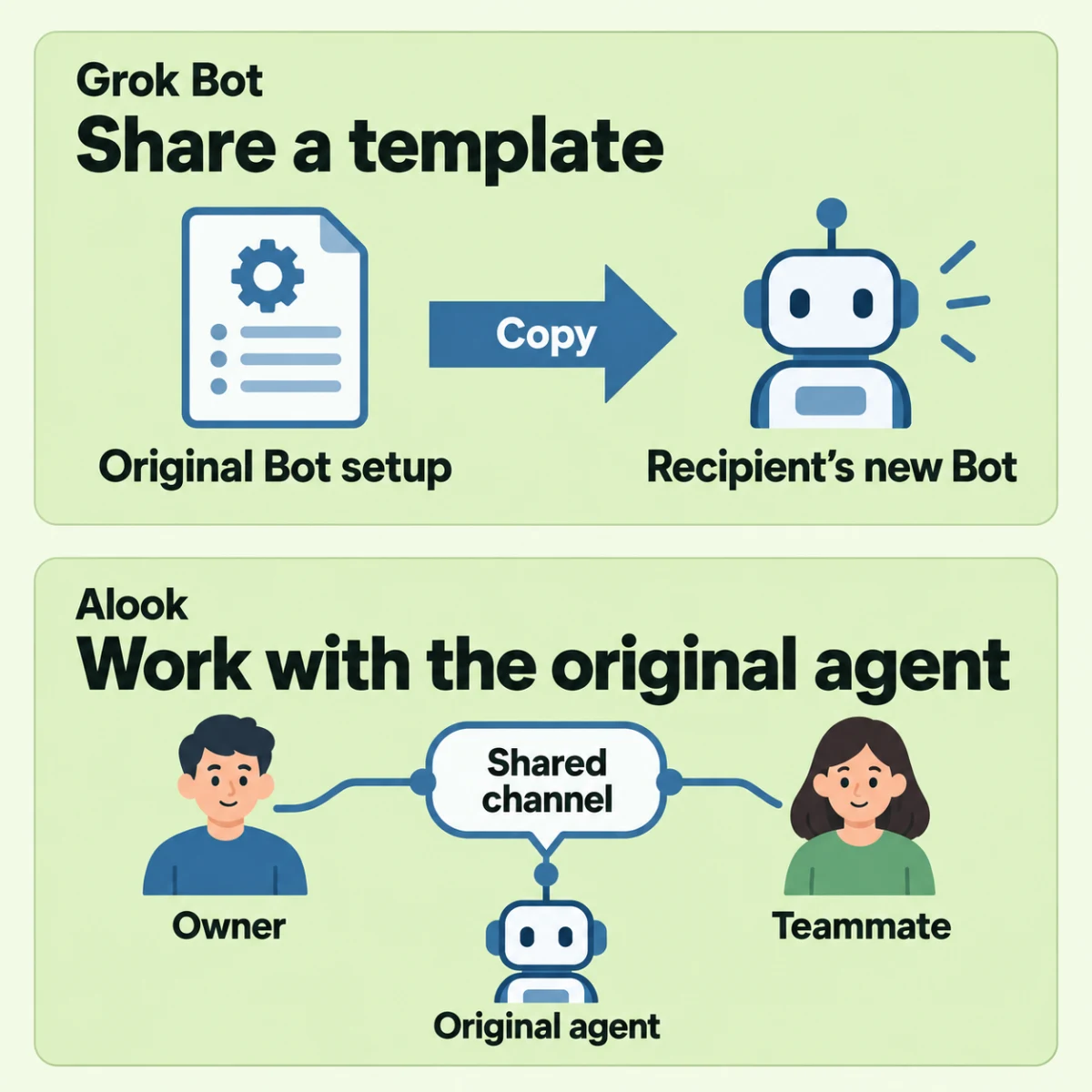
Two specific operations: a Grok Bot template copy and participation in an Alook channel. The template grants no access to the original computer, logins, or conversation history. Channel membership adds no tool permissions.
The Grok documentation reviewed does not establish whether two people can bring their existing Bots into the same group. If that exact interaction matters, ask for a demonstration before choosing. A demonstration of one person directing several Bots would answer a different question.
Try the setup with a task you know
Use a familiar task so you can spot missing access and mistakes in the result. We suggest the following checks; we have not run this trial:
- Ask the agent to open the folder or service the task uses. Note anything you have to copy or connect first.
- Leave the chat while keeping the execution machine available. Return later and check where the task progressed or waited for you.
- Compare the result with the source material. Record the corrections you made before you could use it.
Start with Grok Bot if you want a provided computer. To keep working with your existing agent setup, try Alook with a teammate.