What Happens When Multiple AI Agents Edit the Same Repository?
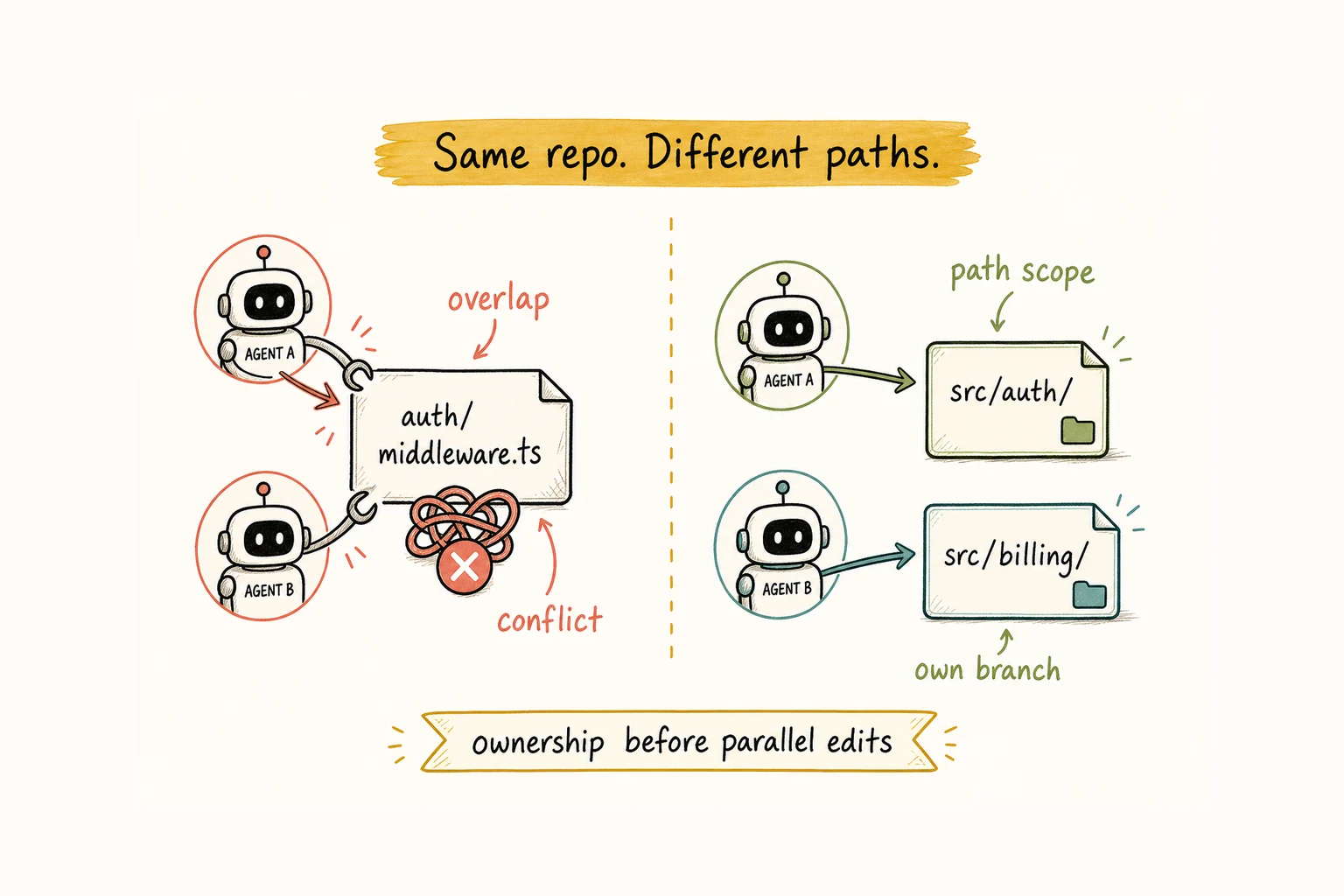
Two agents open the same repository. Agent A refactors src/auth/middleware.ts. Agent B fixes a type error in that file. Both open pull requests. One merges first. The second now conflicts, or it merges cleanly with assumptions that no longer hold.
Git can report overlapping lines. It cannot decide who should have owned the file. That decision has to happen before either agent starts editing.
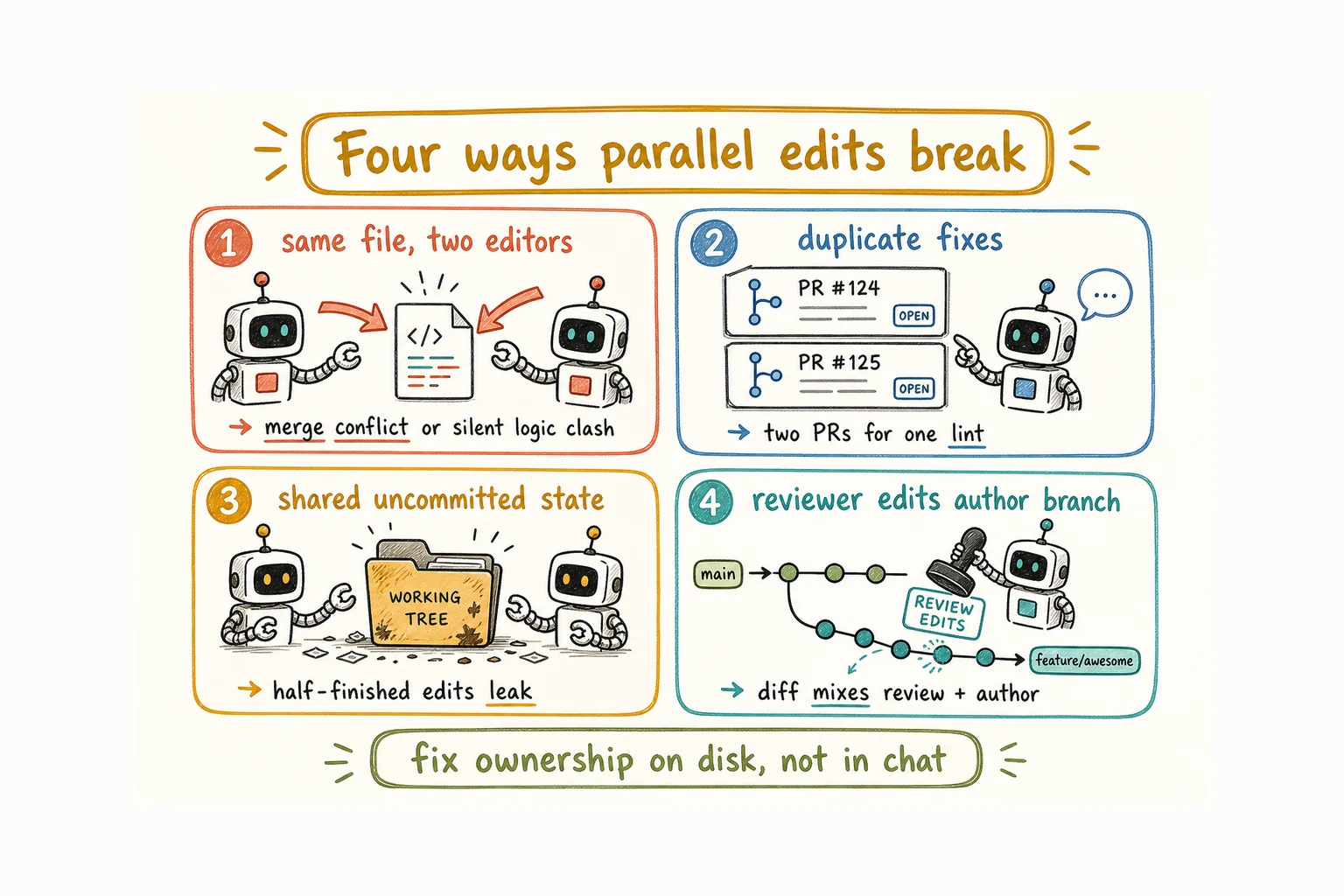
This guide covers four failure patterns you can see in branches, working trees, and pull requests. How to Bring Claude Code and Codex Into the Same Team explains how separate runtimes can work as one team. This guide starts one level lower: what happens on disk when they both edit the repo.
Two agents edit the same file at the same time
The obvious result is a merge conflict. The harder case is a clean merge with broken behavior. Agent A tightens a validation helper to reject empty values. Agent B adds a new caller that passes an empty default. Neither diff touches the other’s lines, so Git merges both, the build stays green, and the bug shows up at runtime.
This happens when both task briefs say “fix auth” without naming file boundaries. Each agent treats the module as open for editing.
Put the allowed paths in the task brief. If Agent A owns src/auth/ for this cycle, Agent B leaves those files alone until ownership changes. An in-scope and out-of-scope list is enough. A CODEOWNERS-style path map can also help identify the usual reviewer, although it does not lock files or assign the current task for you.
You do not need a perfect org chart. You need one sentence that says which directories this task may change.
Both agents fix the same problem
Two PRs fix the same lint error. Two agents add the same missing type or write separate versions of one utility. One change lands, and the other becomes a diff nobody needs.
The cause is usually a broad brief such as “fix type errors in the project.” Coding agents often fix everything they notice, including work assigned elsewhere.
Scope work to named issues or paths. “Fix the three type errors in issue #412” is bounded. “Fix type errors in the codebase” invites overlap. If an agent notices useful cleanup outside its assignment, record it as a separate task instead of adding it to the current PR.
Agents share uncommitted state
Agent A starts editing a file but has not committed it. Agent B uses the same checkout and reads A’s half-finished version. B may build on temporary code, reformat it, or overwrite part of it. Git can show that the working tree is dirty, but it cannot explain which uncommitted lines belong to which task.
The cause is simple: several agents are operating on the same branch or working copy without isolation.
Give each task its own branch. If tasks run at the same time, give each one a separate Git worktree. Claude Code’s --worktree / -w flag starts an isolated worktree for a task. The same approach works for any agent that can use a separate checkout.
Uncommitted work should not become another agent’s baseline unless someone hands it over on purpose. A worktree gives each task its own working directory and index while sharing the repository history, so ignored files such as dependencies, local env files, and build output usually need their own setup. Tests that share a port or a database still need care.
The reviewer edits the author’s branch
A reviewer agent finds a problem, checks out the author’s branch, and pushes a fix directly. The PR now mixes the original implementation with the reviewer’s corrections. A reader can inspect the commits, but the review trail is harder to follow.
This happens when “review” means “edit until it looks right.” The task never says whether the reviewer should report a problem or change the code.
Keep review output separate from code changes. The reviewer leaves comments, a short checklist, or suggested changes on the pull request. The author applies the fixes. If the reviewer must take over the code, transfer ownership explicitly and use a separate branch or commit so the change is visible.
Author and reviewer can use different models or tools. That only helps when each person or agent has a clear job and a separate working copy. A human still approves what reaches the main branch.
What Git handles and what it cannot
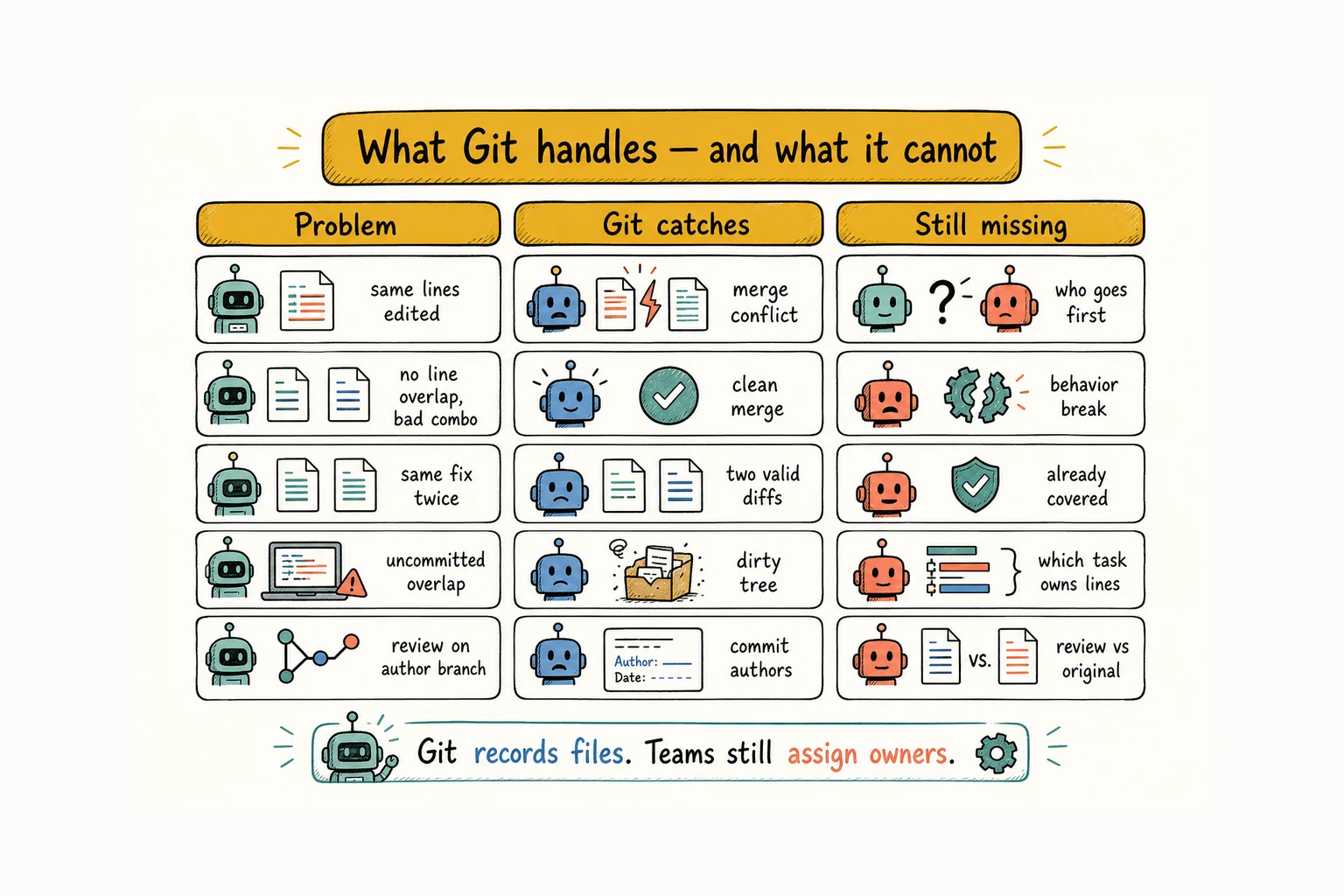
| Problem | What Git catches | What Git does not know |
|---|---|---|
| Two agents change the same lines | A merge conflict to resolve | Who should have gone first |
| Behavior clash with no line overlap | Nothing; the merge succeeds | That the combined change is wrong |
| Two agents file the same fix | Nothing; both diffs look valid | That the work was already covered |
| Overlapping uncommitted edits | That the working tree is dirty | Which pending lines belong to which task |
| Review commits on the author branch | Who authored each commit | Which changes came from review |
Git records file state and reports some collisions. Teams still need rules for active ownership, edit order, and review. Those decisions happen before the merge.
How to review and merge changes from multiple AI coding agents
Suppose the schema, API, and UI branches all finish on the same afternoon. Each passes CI alone. Merge them in the wrong order and those green checks will not help much: the API may target the old schema, and the UI may target the old API.
- Before coding starts, record the behavior and files each branch owns. Put unrelated cleanup in another task. Concurrent work gets its own branch and, when it shares a local clone, its own worktree.
- Run CI on each pull request. A green result means those checks passed for that branch at that commit. It says nothing yet about the final combination.
- The reviewer leaves findings; the author makes the fixes. If ownership changes, record the handoff and keep the new commits separate.
- Merge the dependency first. In this example, that means schema, then API, then UI. Give busy files one owner or a clear edit order.
- After each merge, rebase the branches still open and rerun the tests that cover the combined behavior. A person reviews and approves every merge.
Line conflicts are the easy part. Stale assumptions are harder. Rebasing and retesting after every merge is what catches them.
Day-to-day operating rules for briefs and approval gates live in How to Run an AI Agent Team That Stays on Track. This article stays on the repository: paths, branches, and reviewable diffs.
When it helps to see who owns which work
These rules do not require Alook. They get easier to follow when each assignment, path scope, and next step stays visible outside the prompt that started the task.
Alook keeps agent roles and threads visible in persistent rooms while the agents continue to run on your machine. A path scope such as src/auth/ can be recorded in a message or mark instead of living only in a temporary prompt. Review can move to another agent, while merge approval stays with you.
You can self-host Alook from GitHub, or register at alook.ai and connect your local runtime. Alook helps show who owns the work through rooms and messages. Git still records and merges the code. It does not resolve merge conflicts or replace your editor.
Keep the repo readable
Parallel edits work best when every change has an owner, an isolated working copy, and a reviewable path into the main branch.
Related:
- How to Bring Claude Code and Codex Into the Same Team
- How to Run an AI Agent Team That Stays on Track
- How to Keep Context Across Multiple Coding Agent Sessions
- How to Build an AI Agent Team
FAQ
Can multiple AI agents safely edit the same repo?
Yes. Give each task scoped paths and its own branch. When tasks run at the same time, use separate worktrees, then review the combined result before merging.
Do coding agents need separate machines?
No. Separate worktrees on the same machine give each task its own working directory. Dependencies, local env files, build output, ports, and databases may still need their own setup.
Should a reviewer agent edit the author’s branch?
Usually no. The reviewer should leave comments or suggested changes. If it must take over the code, transfer ownership clearly and keep the new changes visible in a separate commit or branch.
Does Alook handle git merges?
No. Alook coordinates which agent works on what. Git handles the merge. You approve what lands.