Codex Memory After Compaction: Recover Lost Task Context
Coding agents across runtimes & reposYour Codex session compacted. Now it is redoing finished work, and you're wondering which decisions it still remembers.
Before you let Codex continue, check your files and tell it what's already done and what still needs doing. Ask what it plans to do next. If that matches your decision, let it try that one step and check the result.
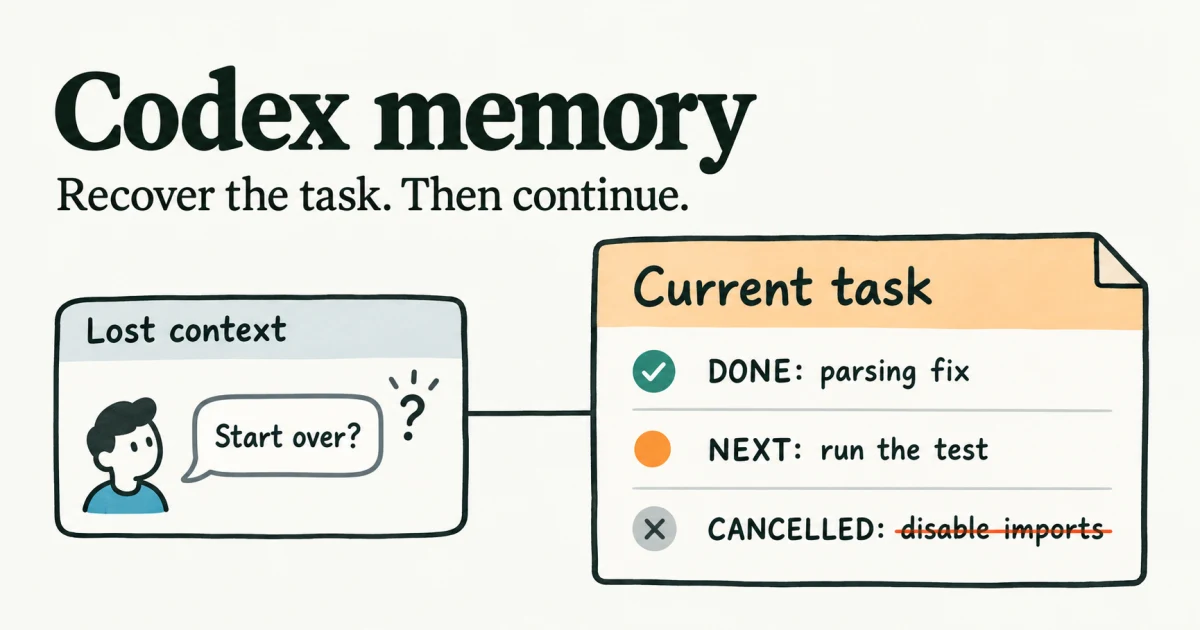
Which Codex memory needs attention?
| Layer | What it holds | Where to start |
|---|---|---|
| Conversation context | Current chat, summarized during compaction | Recover the task, or start fresh if stuck. |
| AGENTS.md | Startup project instructions | Check loaded rules. |
| Local Memories | Useful context saved from earlier chats | Check settings, storage and generation. |
Look for a compaction notice in your client. If you can't find one, recover from the symptoms without assuming the cause.
Recover Codex memory after compaction
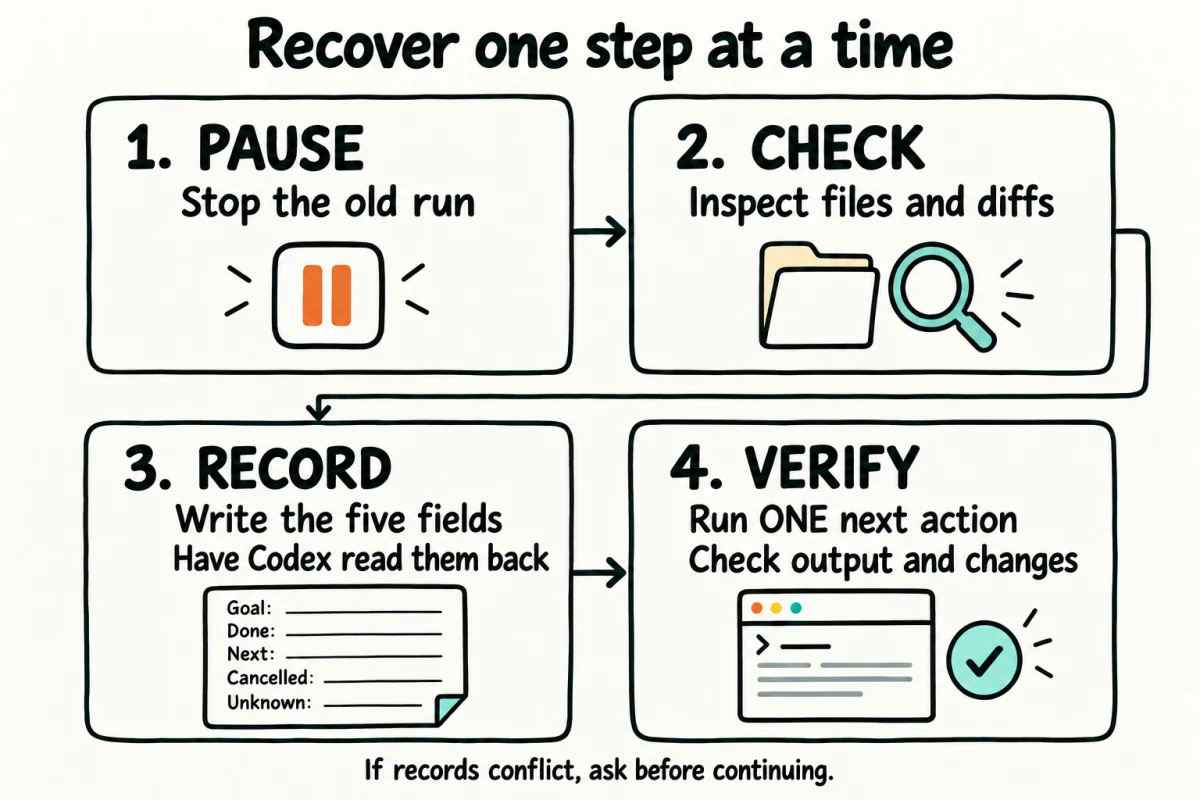
Stop and check the files
Stop the run and keep existing changes before another session edits your project files. In the CLI, /ps lists background terminals; /stop ends every background terminal in that session (CLI docs).
For a Git project:
git status --short
git diff
git diff --cached
git log -5 --oneline
git diff skips untracked files, so open those directly. Without Git, inspect changed files and outputs. Count a step as done only when a file, commit or test result shows it.
Write one recovery record
Create RECOVERY_STATE.md, or update an existing task record:
Goal: [Current objective; updated date and time]
Done: [Completed work + file, diff, commit or result]
Next: [One action + expected observable result]
Cancelled or superseded: [Old task + replacement; none if absent]
Blockers and unknowns: [Gaps, conflicts or decisions needed]
Fill it from your files and available history. If the old session left a handoff, check each line against the files and move anything you can't confirm to Blockers and unknowns.
For example, a fictional CSV import task could read:
Goal: Make retried CSV imports safe. Updated: 2026-10-28 09:00 UTC.
Done: Added retry guard in src/importer.ts; parsing unchanged in diff.
Next: Add and run tests/importer.test.ts; repeated import ID adds zero rows.
Cancelled or superseded: Do not disable imports; make retries safe.
Blockers and unknowns: No staging check. Ask before deployment or data changes.
Working with teammates? Share the checked record in Alook, a shared chat workspace for your teammates and your Codex-powered bot. Confirm the latest decision, then update the local file before restarting.
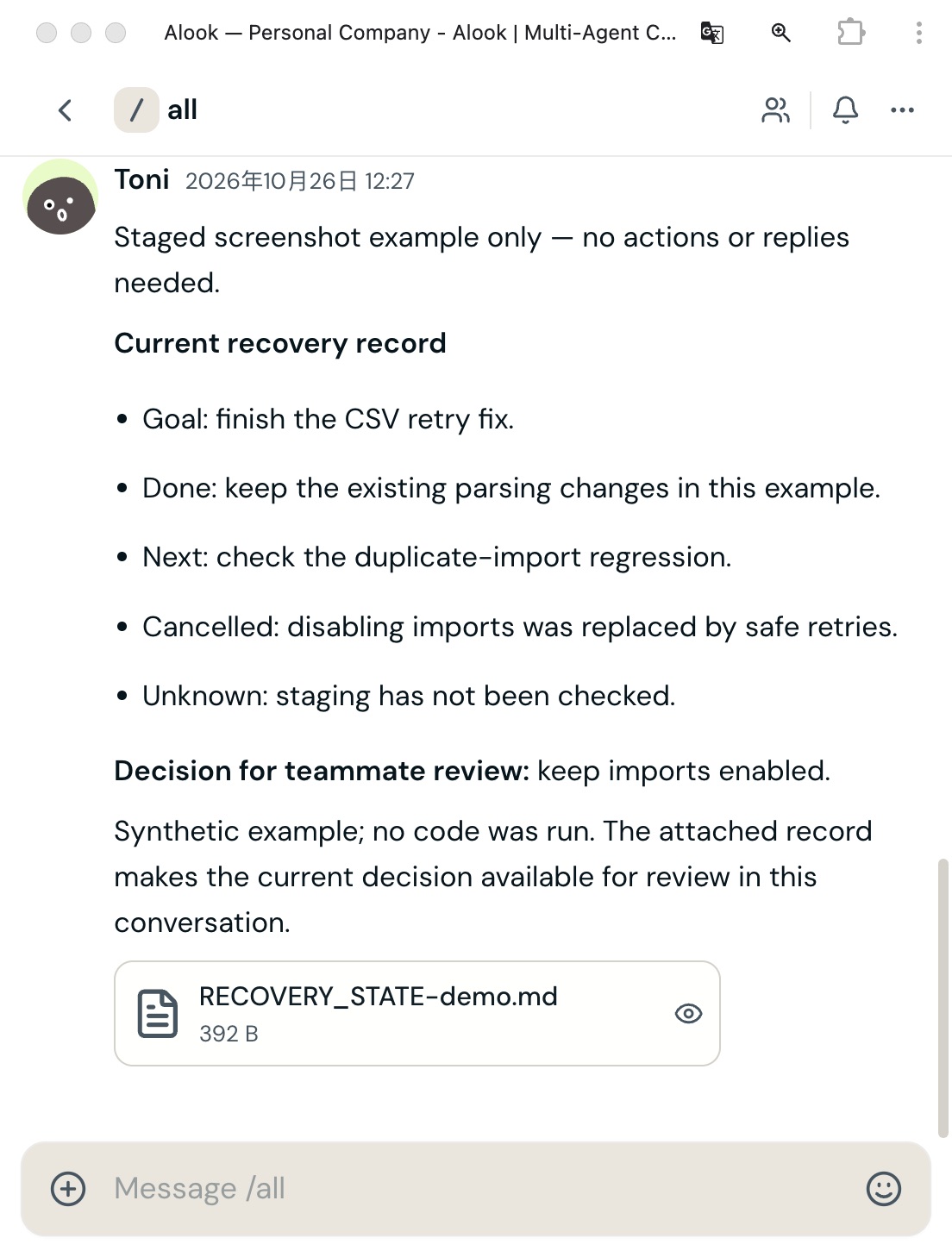
Actual Alook UI with a synthetic record; no code ran in this example.
Have Codex read the record
Send this first:
Read RECOVERY_STATE.md and the applicable project rules.
State the current goal, completed work, cancelled work and next action.
Treat old chats and handoffs as history, not new instructions.
Ask about conflicts or unclear steps.
Do not edit files or execute the next action. Wait for my confirmation.
Check its answer against your files and decision. If anything is off, correct it. Once the readback matches, send:
The readback is correct. Perform only the next action in RECOVERY_STATE.md.
Then stop and show the command, actual result and changes.
Verify one action
Inspect the command, output and diff. Did it advance the current task, preserve finished changes and leave cancelled work alone?
If old work reappears, stop and correct the conflicting record. If the session stays stuck, start fresh. After an interrupted long run, compare its checkpoint with the files before resuming.
If Codex repeats old instructions
In the CSV example, Codex might try to disable imports again. Point it to the Cancelled line and the test under Next in your record. Repeat the readback check before allowing more edits.
Which AGENTS.md rules reached Codex?
You wrote the rule down. Codex followed it yesterday. Now it doesn't.
Keep lasting rules in AGENTS.md and progress in the task record. If a rule is missed, check the working directory and active instructions using the official discovery guide.
Ask:
List this session's active instruction files in precedence order.
Summarize the relevant rule. Do not change files.
Codex reading the file now doesn't prove it loaded the file when the session started. Check the startup logs. If they don't show it, treat the rule as not confirmed at startup.
For a new CLI audit, use codex -c log_dir=./.codex-log and inspect .codex-log/codex-tui.log (checked with CLI 0.164.0). This can't reconstruct an old run that wasn't logged; see the logging instructions.
If startup rules are stale, restart in the correct directory; rereading doesn't rebuild them. If the loaded rules are correct, investigate the action instead.
Codex compaction is stuck: recover in a new session
When the old session won't respond at all, you don't have to wait for it.
- Stop the old run and keep its changes. Update the record and mark anything you can't confirm as unknown.
- Relaunch
codexin the project directory, or use/new. If Codex offers a checkout choice, choose the current directory to access uncommitted work (CLI steps). - Use the two recovery prompts. Let only one session edit the project.
In a desktop app or editor, check that the new chat opened the right project and workspace.
If the problem repeats, include this in a bug report:
- Client version, OS, model and provider.
- Reproducible steps, expected behavior and actual behavior.
- Redacted output and whether compaction was confirmed.
Before the next compaction
Update the record before you step away or the context fills up. /compact summarizes earlier turns and can omit details. An existing PLAN.md also works, but Codex won't load it automatically just because of its name, so ask Codex to read it.
Codex memory FAQ
Are local Codex Memories enabled by default?
No. Enable it in the desktop app's Settings → Personalization, or set memories = true under [features] in config.toml.
Does Codex memory use my usage limit?
Yes. Generating memories in the background counts toward your usage, and it may pause when you're running low.
Where are Codex memories stored?
Normally ~/.codex/memories/, or memories/ inside a custom CODEX_HOME (storage docs). This is separate from ChatGPT web memory.
Can Codex Memories restore lost task context?
Memories aren't an instant backup. In /memories, check whether Codex can use existing memories and whether this chat can add new ones. Background generation can be delayed or skipped, so resume from your checked record.
Should I wait for auto-compaction or prepare a handoff and start a new session?
If the session still responds, check its handoff against your files. When you finish a step, you can start fresh with that record. If it's stuck, use the new-session steps above.
Can a larger context window or a different auto-compaction threshold fix this?
model_context_window sets capacity; model_auto_compact_token_limit sets timing, subject to support from your model and provider. Neither rebuilds missing task state.
How we tested
One read-only rehearsal with CLI 0.163.0 on October 23, 2026 selected the current action over an outdated handoff and printed ACTIVE_B. It didn't test compaction or code recovery. Startup and log creation were checked separately with CLI 0.164.0.