Claude Agent Teams: How to Find Stuck Agents and Review Their Work
The team said the payment integration was finished. The developer looking at it noticed one thing missing: the end-to-end tests he had asked for.
In a live Claude Code Agent Teams build, Cole Medin used a team to add a payment flow to a chat app.
When a team says it’s done, the result still needs checking. A teammate may also be quiet because it is waiting, because its turn ended, or because it encountered an error. The team’s status is a starting point for finding out what happened.
Claude agent teams are separate Claude Code sessions that share a task list and exchange messages. They help when several pieces of work can move at once. They also leave you with a job: find the handoff that stopped the work and decide what evidence is enough to accept it.
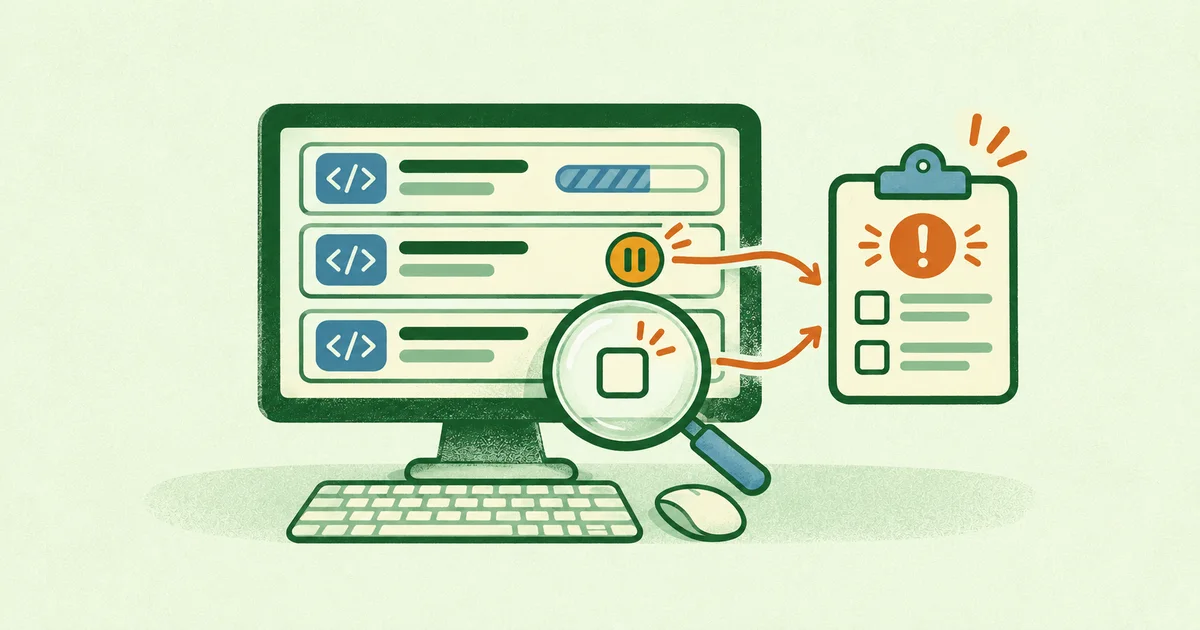
How to enable Claude agent teams and manage permissions
Agent teams are experimental and disabled by default. To try them in an interactive Claude Code CLI session, start with:
CLAUDE_CODE_EXPERIMENTAL_AGENT_TEAMS=1 claudeThe default display keeps teammates in the same terminal. Separate panes require a supported tmux or iTerm2 setup. The panel helps you open a teammate’s conversation.
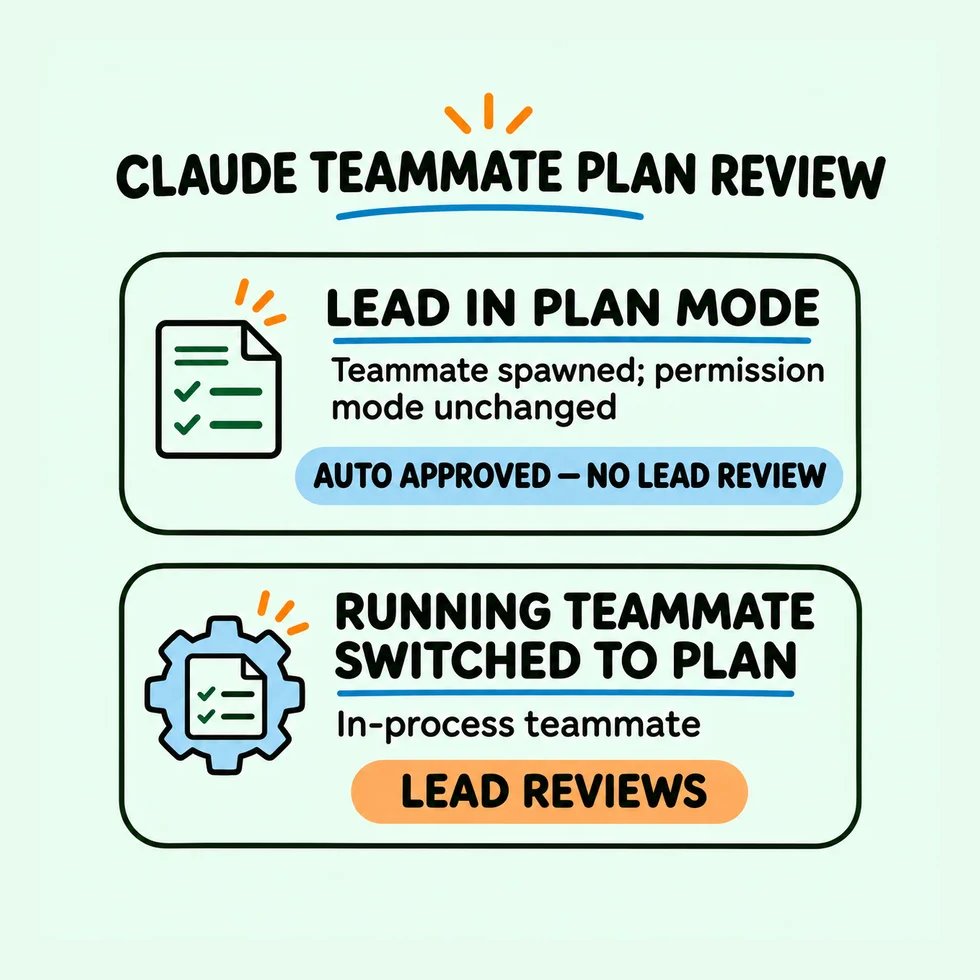
Outside plan mode, an in-process teammate’s status bar can say Manual while it still follows the lead’s acceptEdits, auto, or bypassPermissions mode. To have that teammate ask before editing, the lead needs to be in Manual too. Permission requests appear in the lead session.
A teammate spawned while the lead is in plan mode submits a plan before implementing. If its permission mode hasn’t changed since it was spawned, Claude Code approves that plan automatically, without the lead reviewing it. An approved plan isn’t evidence of a review. Putting an already running in-process teammate into plan mode makes the lead review that run’s plan instead. Neither path asks you to approve the plan yourself. The official Agent Teams guide describes the controls and their current limits.
The command above enables teams for that launch. If you want ordinary subagents next time, exit and start claude normally. Check your settings and surrounding environment too: they may also enable the feature.
How to tell why a Claude teammate is stuck
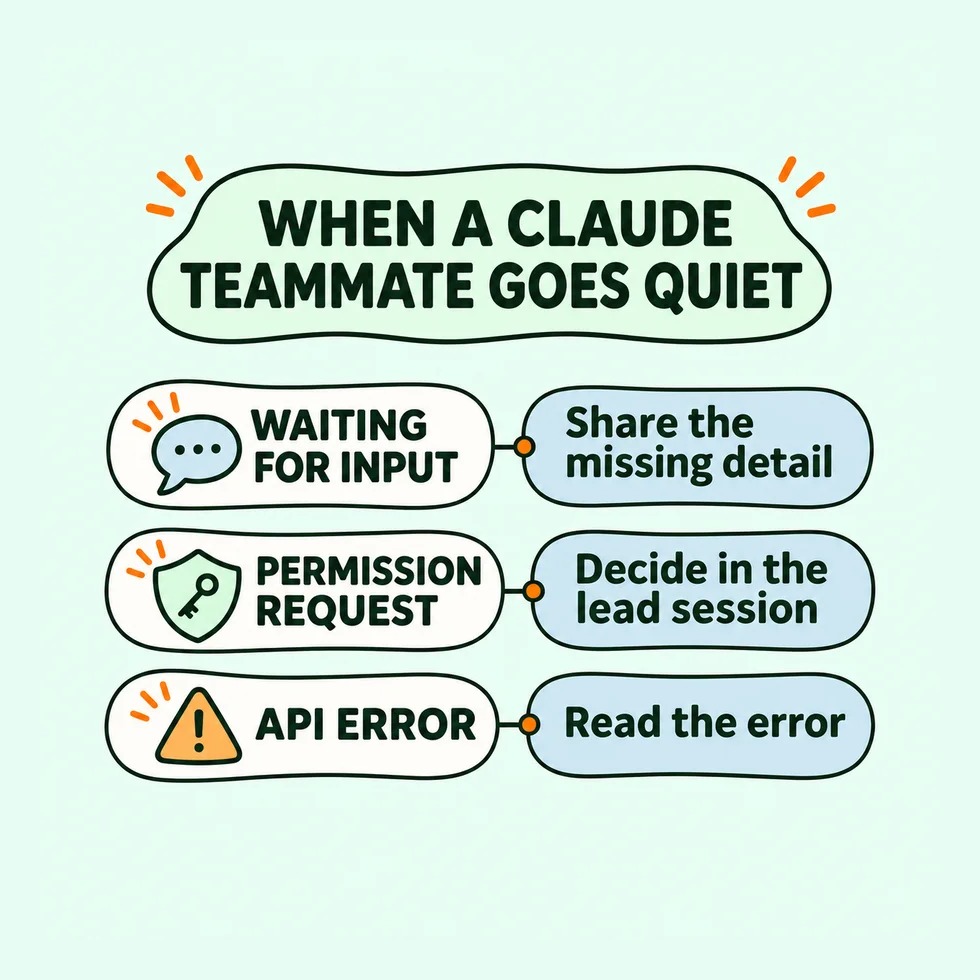
A quiet teammate may be waiting for an answer from another teammate or for a tool permission request in the lead session. Sending “keep going” won’t supply an interface detail or approve a command. The useful follow-up is the missing answer, or a decision about the pending request.
A teammate’s turn can also end on an API error. The lead receives the error text, which gives you something to inspect before reassigning the work. For an in-process teammate waiting to retry a failed API request, a message from the lead or another teammate triggers an immediate retry. The original error may still need attention.
The shared task list helps show what was assigned, but a teammate may finish without updating its task. A dependent task can remain blocked until someone checks the output and corrects the status. The next teammate needs the delivered files as well as the status recorded in the task list.
What counts as done for a Claude agent team?
Medin’s team reported its work complete, but the requested end-to-end tests had not run. He asked the lead to run them. The later checks found problems in the purchase flow, and he then used a test account to make a purchase and check the resulting balance himself.
Passing tests only tells you what those tests covered. For a payment flow, the review may also need to cover what happens when a payment fails.
When are Claude agent teams worth using?
A backend change, a page, and their tests can give teammates work that is separable enough to run in parallel. They still need an agreed interface. If every decision in one part must wait for another part to finish, adding more teammates can add coordination without shortening the wait.
Each teammate has its own context window and runs another Claude session, so a team also uses more tokens than a single session doing the same work. For a small change with tightly coupled steps, one session or a subagent is often enough. Our guide to Claude Code subagents and independent agents covers that choice.
How to shut down and hand off a Claude agent team
After accepting a result, ask the lead to shut down teammates that no longer have work. An idle teammate may disappear from the panel while its session is still running. A stopped in-process teammate is different: a message in the same session can bring it back, so leave it stopped unless there’s another task.
During Medin’s payment build, the terminal session crashed. He restarted and passed the plan back in before continuing the work. The plan gave the resumed work a starting point.
Claude Code cleans up the team’s shared configuration when the session ends, while the task directory remains. Resuming the lead’s session does not restore its in-process teammates. A handoff for tomorrow needs the current files, checks, and open questions, not just the names of the old teammates.
Can Codex join a Claude agent team?
No. Native teammates are Claude Code sessions. A colleague using Codex can review the same work in a shared Alook conversation, with the current change and a specific question attached. Each person keeps control of their own agent’s tools and files. Our guide to Claude Code and Codex on the same team explains that handoff.