Alook vs Buzz by Block: Choosing an Agent Workspace
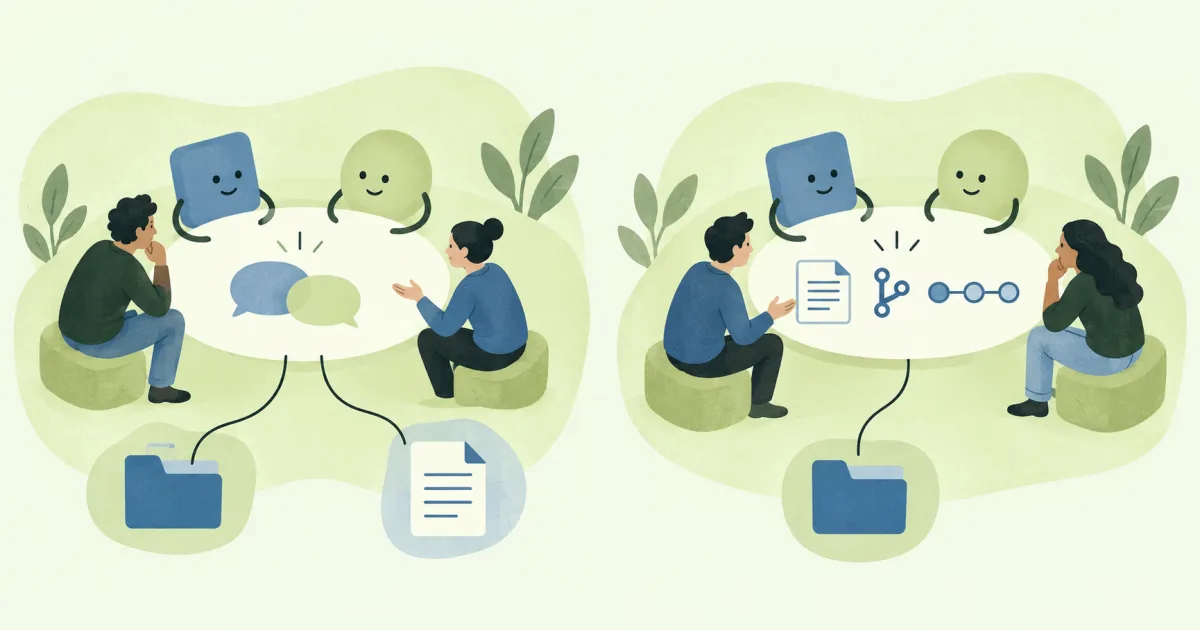
Alook and Buzz by Block both put people and agents in shared conversations. If you are choosing between them, try one real task first: can a teammate question the work, ask for a change, and find the result afterward? Then look at what you have to connect and keep running to make that exchange useful.
Alook fits when colleagues need to join work your existing agents already do. Buzz also supports human-agent collaboration, and adds built-in Git and workflow features when those matter for the job.
Written by the Alook team. Product documentation checked September 29, 2026. This comparison follows published docs; we have not run a hands-on benchmark. “Buzz” here means Buzz by Block, not the sales product with a similar name.
What should a teammate be able to do?
Picture this: your agent drafted a customer-facing doc. A colleague spots a vague sentence and wants to ask why it was written that way before requesting a revision.
In separate private chats, you often become the messenger. Shared conversation gives them a place to talk to the agent directly, while you still stay in the decision.
In Alook, that works when the colleague and the agent share a channel. The agent stays in its owner’s environment and keeps its existing permissions.
Buzz puts people and agents in shared rooms the same way. Buzz’s workspace model
A useful trial ends with something concrete: the question reaches the agent, a revised draft comes back, and everyone can point to the version under review. A busy room by itself does not prove the work got better.
Run the same review in both products with similar source material. Watch for:
| During the review | Evidence that matters |
|---|---|
| Follow-up question | Colleague can address the agent without you forwarding |
| Agent revises | Changed text or file is available to inspect |
| Wording accepted | Team can name the accepted version and who approved it |
| Ready to publish | Someone knows which tool or person applies the change |
If the accepted version is still hard to find, the shared room only solved part of the problem. If review works and publishing is already easy for you, extra native workspace features may not buy much on this task.
When Git and workflows change the choice
Both products can sit beside tools you already use. The fork gets sharper when you decide whether repository activity and automation should live inside the collaboration product.
If the document already lives in a tool your team finishes work in, keep review and publish there. Alook can host the shared discussion while the connected agent uses its tools and returns an artifact or link. Alook’s collaboration space does not include native Git hosting. Shared workspace boundaries · How participation works in Alook
If the document belongs in a repository and you want repo activity plus automation inside the workspace, Buzz has more to evaluate. Its published status lists Git hosting, Git events, and YAML workflows. Check the steps your team actually needs. Buzz feature status
A concrete split helps. Say your team already reviews pull requests in GitHub, and agents open patches there today. Pulling the same repo status into a chat workspace mostly duplicates a view you already have — leave Git where it is and use the room for questions and returned links. The case for Buzz-style in-workspace Git gets stronger when the room itself is where people need commits, events, or YAML runs without jumping to another tool. If those runs still end with a human approval gate you already run elsewhere, count that setup cost before you move the whole chain.
| What you want | Alook | Buzz by Block |
|---|---|---|
| Keep existing finish tools | Discussion + artifacts | Rooms + external tools |
| Repo activity in the workspace | External repo + chat links | Built-in Git |
| Workflow automation in-product | Agent or outside system | Native YAML workflows |
Sources for the table: Alook’s workspace write-up and Buzz’s architecture.
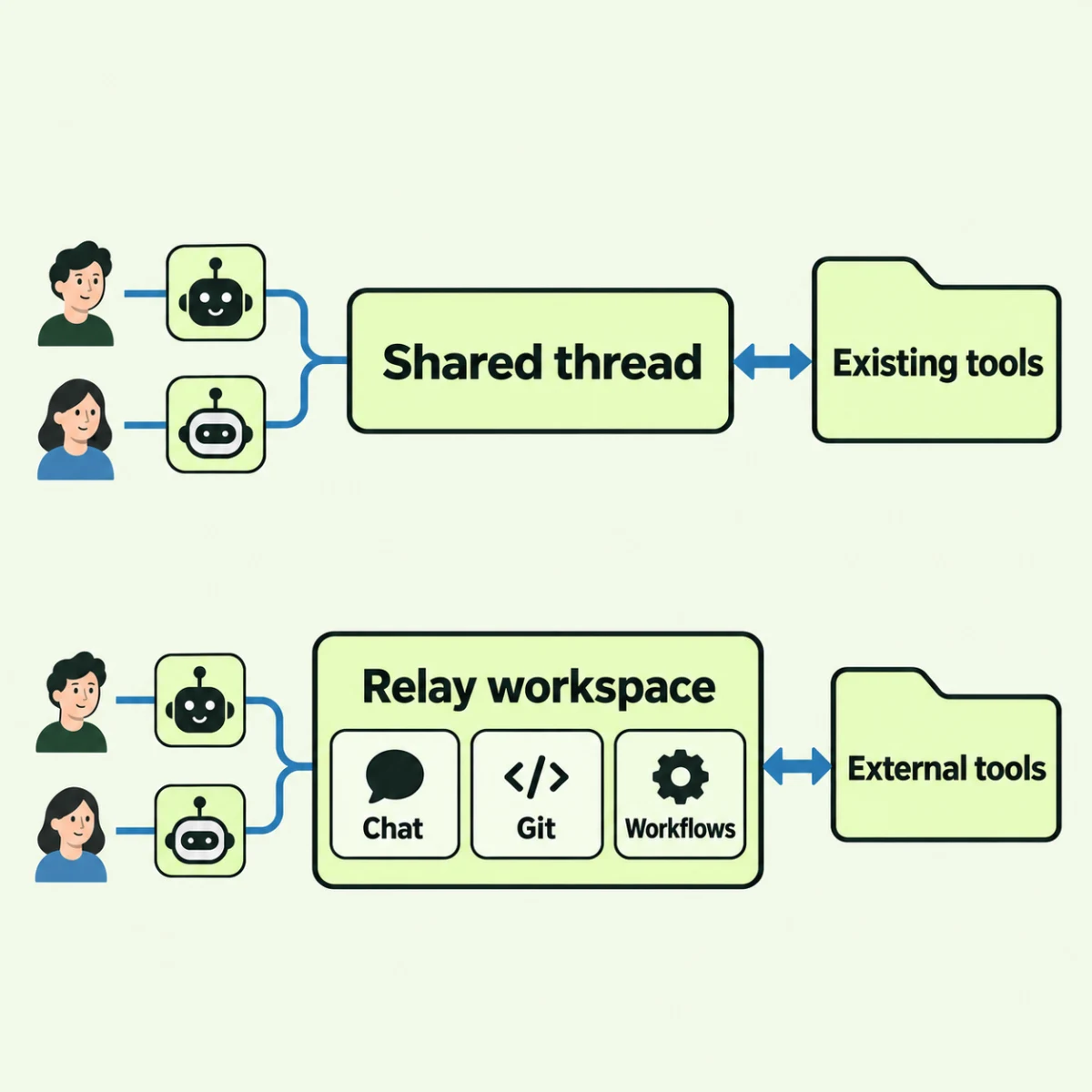
Conceptual diagrams, not screenshots. Top: Alook. Bottom: Buzz by Block. Both connect to outside tools. Buzz’s published status still lists workflow approval gates as in development.
Which to try first
Start with Alook when your agents and tools already produce the work, and colleagues need a direct way in. Judge the trial on whether review is easier to follow and finish. You still maintain a supported runtime on an execution machine — match yours against current homepage support — and use outside tools for anything the collaboration space does not handle. Hosted vs self-hosted collaboration is a separate choice from where the agent runs.
Start with Buzz when you want the workspace to carry repository and workflow duties as well as conversation. Those features matter when they fix a real process gap. Plan who will provide relay access (shared or self-deployed) and which connection path you will use — CLI or ACP harness. Buzz setup · Connection architecture
Both projects are open source under Apache 2.0. Alook repository · Buzz repository
For a first Alook trial, invite a colleague into a document review. Ask them to question the agent’s draft directly. Keep going if the exchange helps them review and leaves you with a usable revision.
FAQ
Is Alook a Buzz alternative?
For shared human-agent workspaces, yes — that is the comparison this article is for. Alook’s bet is existing agents in shared channels so colleagues can join. Buzz covers the same kind of rooms and adds native Git plus workflows when those belong in the product.
Does Alook include Git hosting?
Alook’s collaboration space has no native Git hosting. Agents keep their usual tools and can drop links or patches into the chat. Teams that need repository activity inside the workspace product should read Buzz’s published Git status next.
Can Buzz and Alook both connect external agents?
They can. People and agents meet in shared conversations with outside tools attached either way. What splits the products is how much Git and workflow work the collaboration layer itself should own.
How should we trial Alook vs Buzz by Block?
Give both the same small document review: a colleague questions an agent draft, asks for a change, and finds the accepted version. Then compare setup (runtime vs relay) and whether you need in-workspace Git or YAML workflows.